
 WordPress restaurant menu plugin
Your menu, beautifully on your website
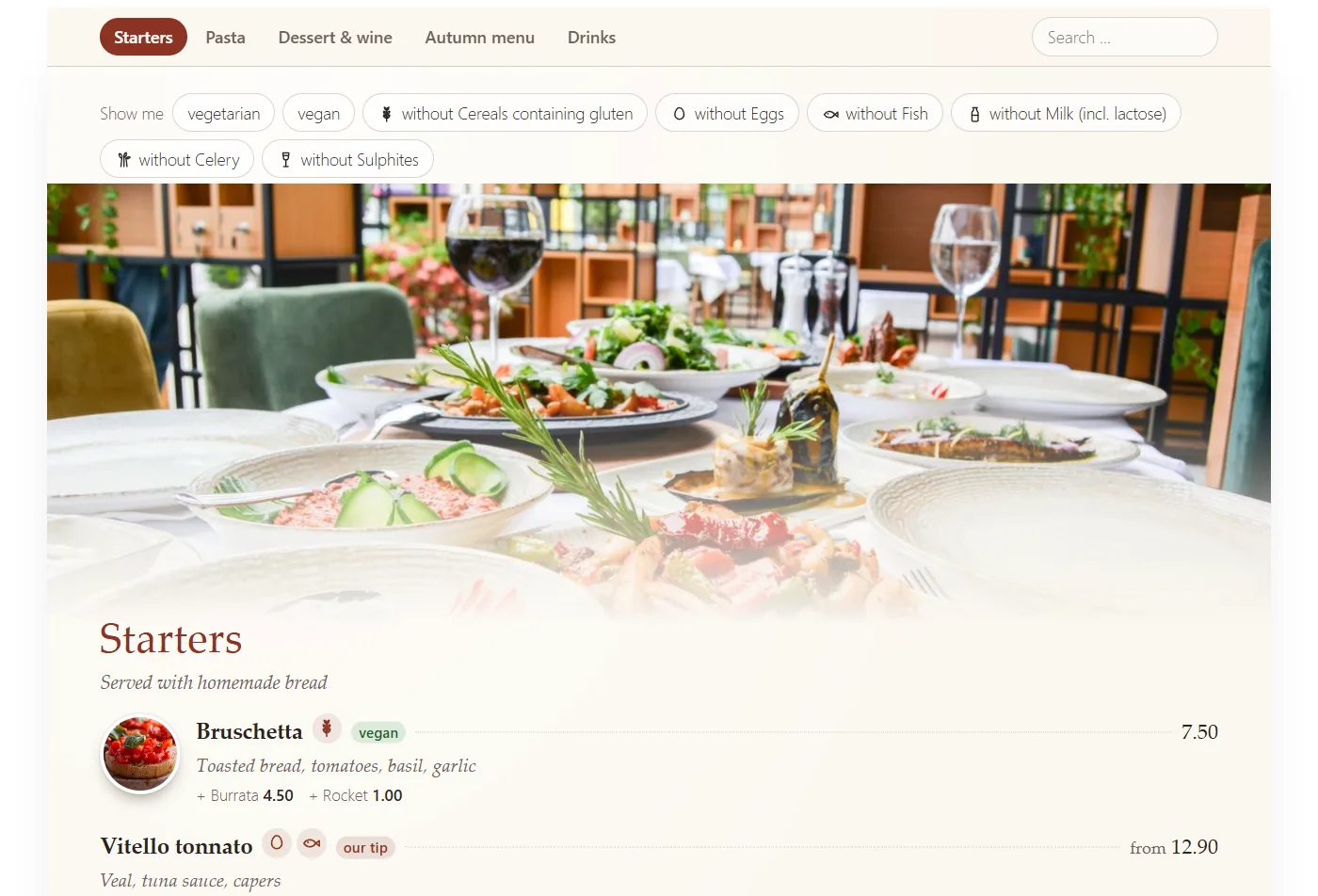
Menu Designer lets you write right on the menu – click a dish and type, as on the card your guests will hold. Allergens with a legend and a filter for guests, photos on plates, seven templates. On the website, on the phone at the table and on paper.
- On WordPress.org
- Free, unlimited menus
- Nothing loads from other servers
Design your menu – don’t fill in a form
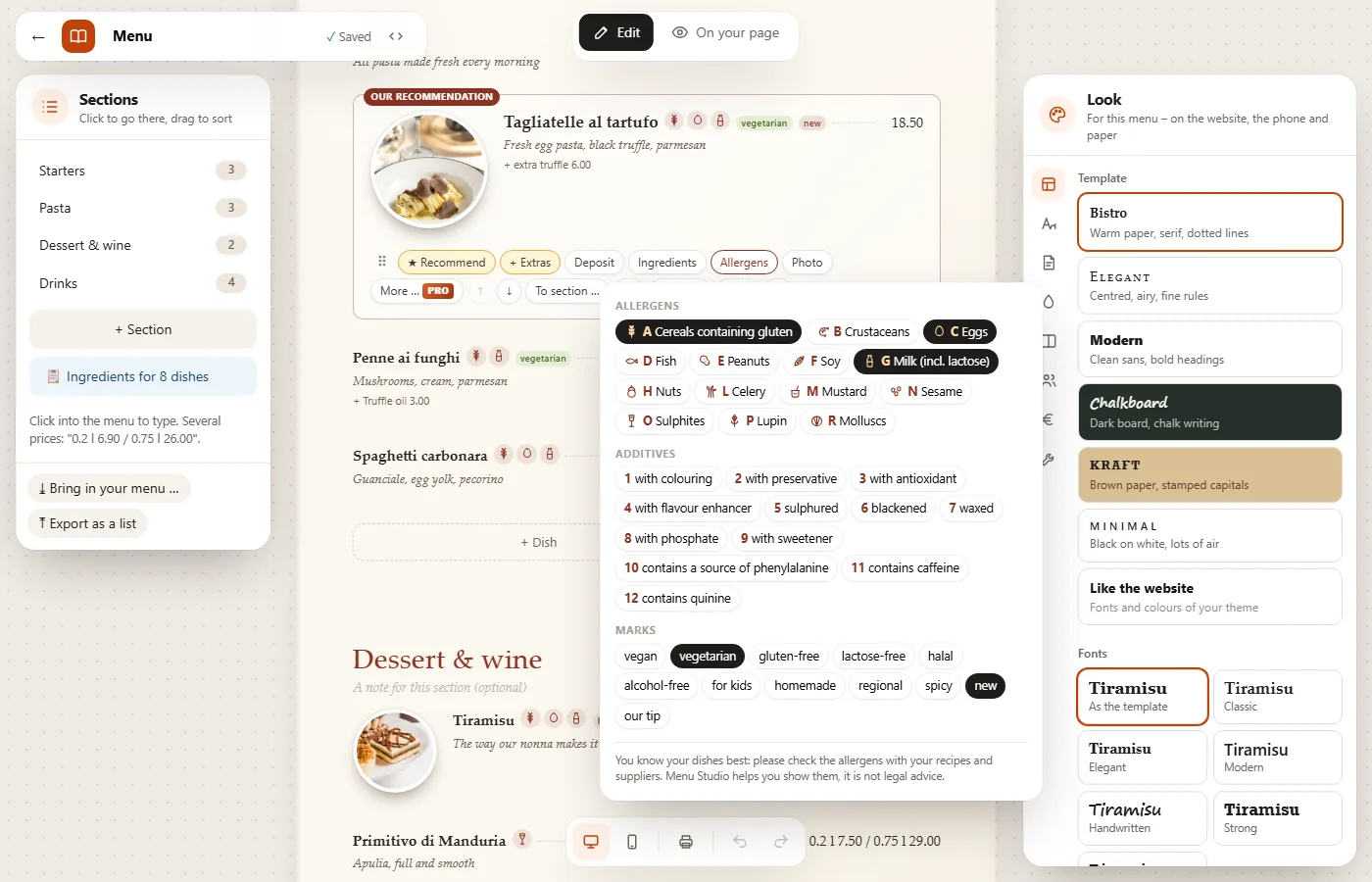
Your menu in the middle, exactly as guests will see it. Sections on the left, the look on the right.
Click a dish and type
Names, descriptions and prices are written right on the menu. Allergens, additives and marks such as “vegan” are a click away, and the legend writes itself. Allergens show as small icons that guests understand in any language – or as letters or names.
- Allergen suggestions from the words of a dish – “parmesan” suggests milk; you confirm
- Several prices in one line: “0.2 l 6.90 / 0.75 l 26.00”
- “from 9.50”, “market price”, extras such as “+ cheese 1.50”
- Set menus with courses and “or”, at one price
- Recommend a dish – it shows larger, as a card
- Sold out today? Hide it – it waits for tomorrow
- Drag dishes and sections – also into another section
- Over 200 dishes Menu Designer knows, with their ingredients – the allergens they bring say “please check” until you confirm them
- It saves by itself
Seven looks, in your colour
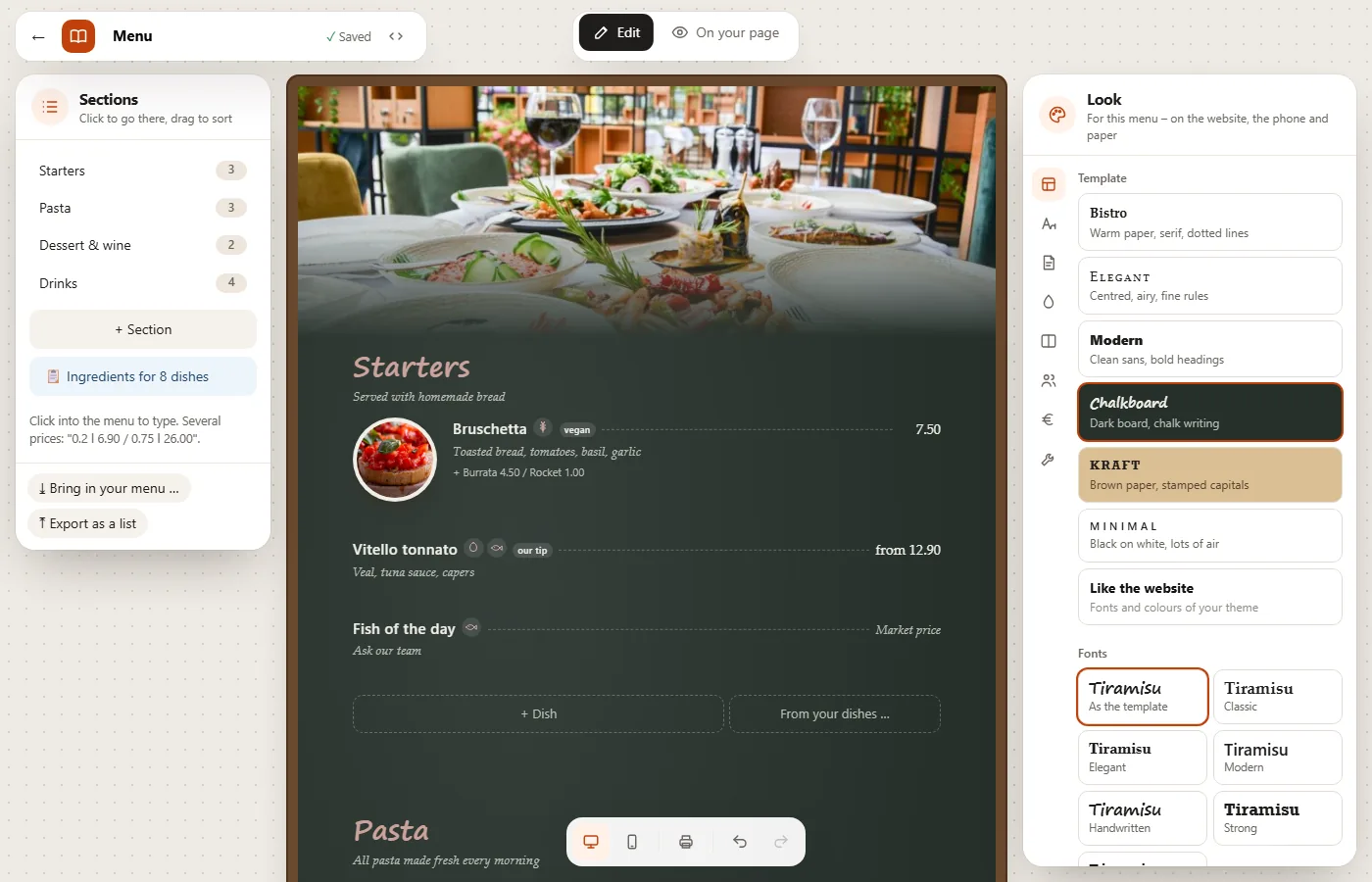
Bistro, Elegant, Modern, Chalkboard, Kraft, Minimal and “Like the website”, which takes the fonts and colours of your theme – in one or two columns. Dishes sit on a round plate or fade into the paper; a section photo spans the menu and fades out below. No square pictures glued in.
Start from a starter
Restaurant, café, bar or lunch of the week – the sections and the look are already set, you add the dishes. Or bring your old menu over: choose the PDF, or paste it from Word or Excel – sections, dishes, prices and allergens come over, and you see what was read before it is in.
Made for the phone at the table
On a small screen, guests easily stop scrolling before the best part. Menu Designer keeps the whole menu at hand.
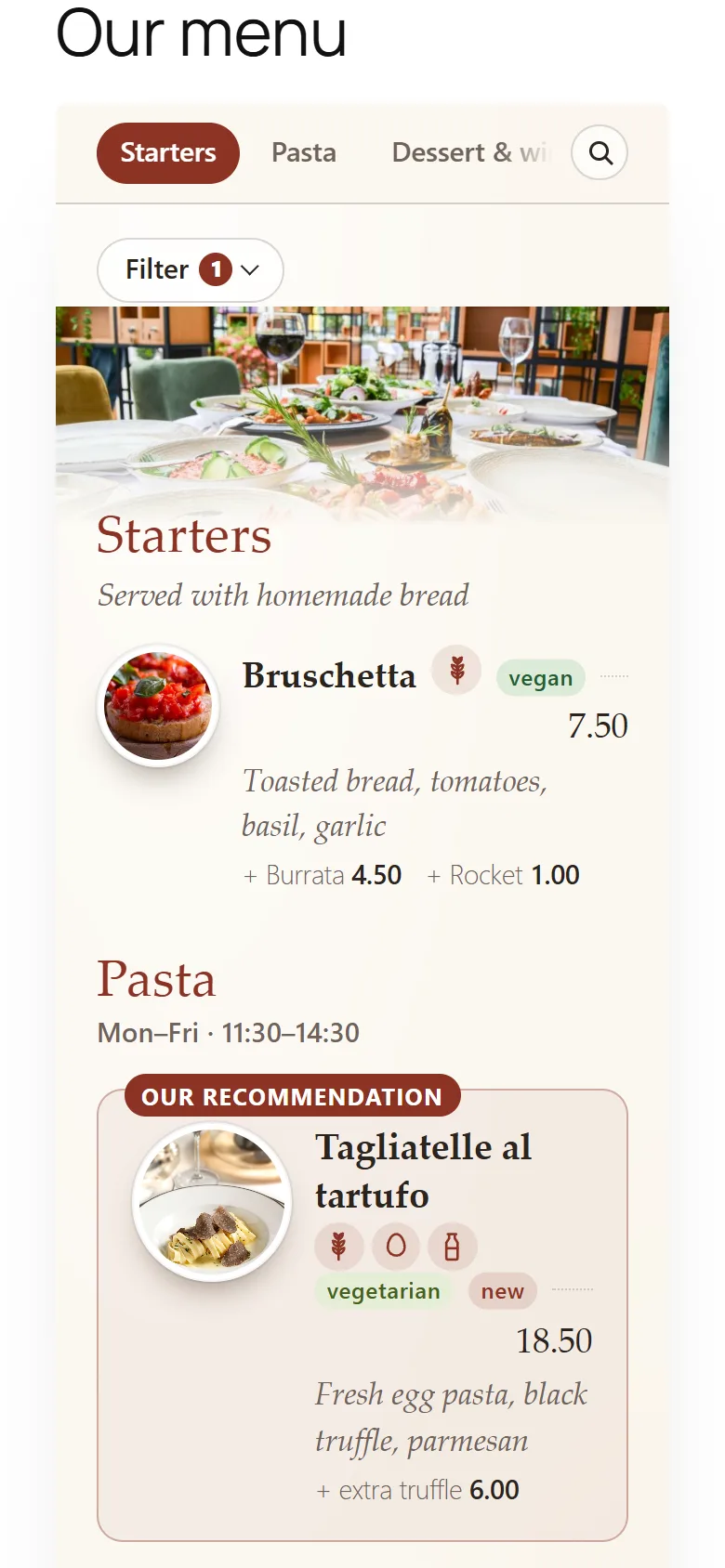
- A bar to the sections stays on top while guests scroll
- A search on long menus
- The filter: “vegetarian”, “vegan”, “without nuts” – folded into one button on the phone
- Search engines understand the menu (schema.org)
- A block (also wide and full width), an Elementor widget and a shortcode for Divi, Bricks and widgets
- No fonts, maps or trackers from other servers
Print it – or save it as a PDF
A4, A5 or Letter, with or without photos, on coloured paper or white to save ink. No dish is ever cut in half by a page break.
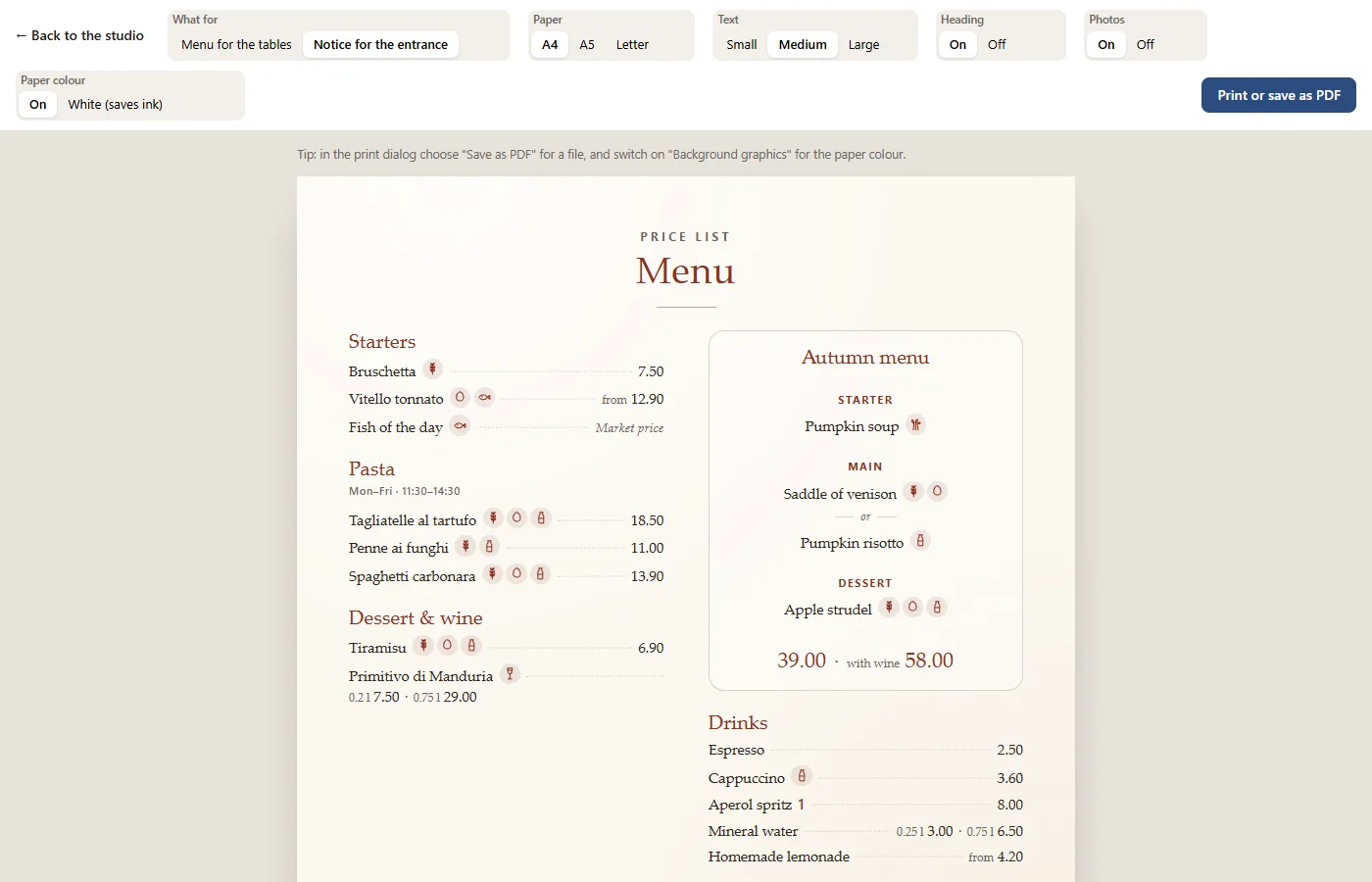
The notice for the entrance
Many countries ask restaurants for a price list next to the door – in Germany § 13 PAngV. Menu Designer prints it from the same menu: names, prices and allergen codes in two columns, with the VAT line.
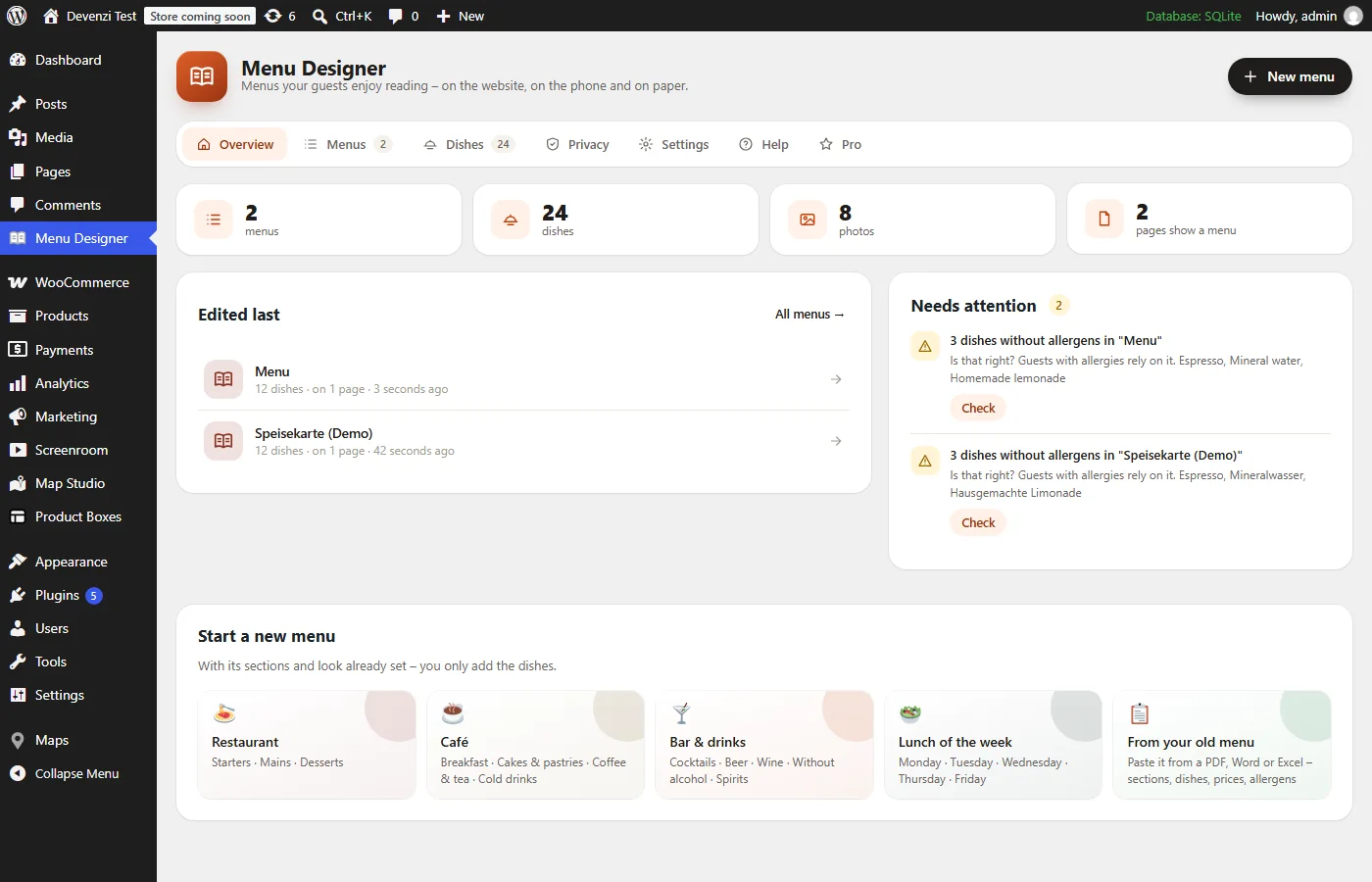
What is still to do
Every menu as a little sheet of paper, and a list of what is missing: dishes without a price, dishes without allergens, menus not on any page yet – each with a way there.
For restaurants that want more
Questions, answered
Is Menu Designer free?
Yes, and the free version is complete: as many menus as you like, all seven templates, photos, allergens with legend and filter, printing and the notice for the entrance. Pro adds times, languages, tabs for several menus, the menu as a book and changing all prices at once.
Does Menu Designer label my allergens correctly?
It shows what you enter – clearly, with a legend and a filter for guests. You know your dishes best: please check the allergens with your recipes and suppliers. This is not legal advice.
How do I get a QR code for the tables?
The page with your menu is your digital menu. Make a QR code for its address with any QR code generator and print it for the tables – guests land on the menu, made for the phone. With Menu Designer Pro the cards come ready to print, in the look of your menu and with table numbers.
Does it work with Elementor, Divi or my theme?
Yes: a block (also wide and full width), an Elementor widget, and a shortcode for Divi, Bricks, Beaver Builder, widgets and classic themes. On narrow places the menu takes the phone layout by itself.
Can I bring my menu over?
Copy it into a spreadsheet – one row per dish: section, dish, description, price, allergens – and paste the rows into “Bring in a list” in the studio. A CSV file works too. “Export as a list” gives you the list back.
Which currencies?
Euro, US dollar, pound, Swiss franc, Canadian and Australian dollar, Scandinavian kronor, złoty, koruna, forint and lira – with or without the sign at the prices. The notice for the entrance names the currency.
A menu your guests enjoy reading
Free, and installed in a minute – also right in WordPress.