
Your own map data
Download the map of your area to your own website once. From then on, your maps ask no other server. No IP address leaves your site, and there is nothing to agree to.
The whole map, from your own server
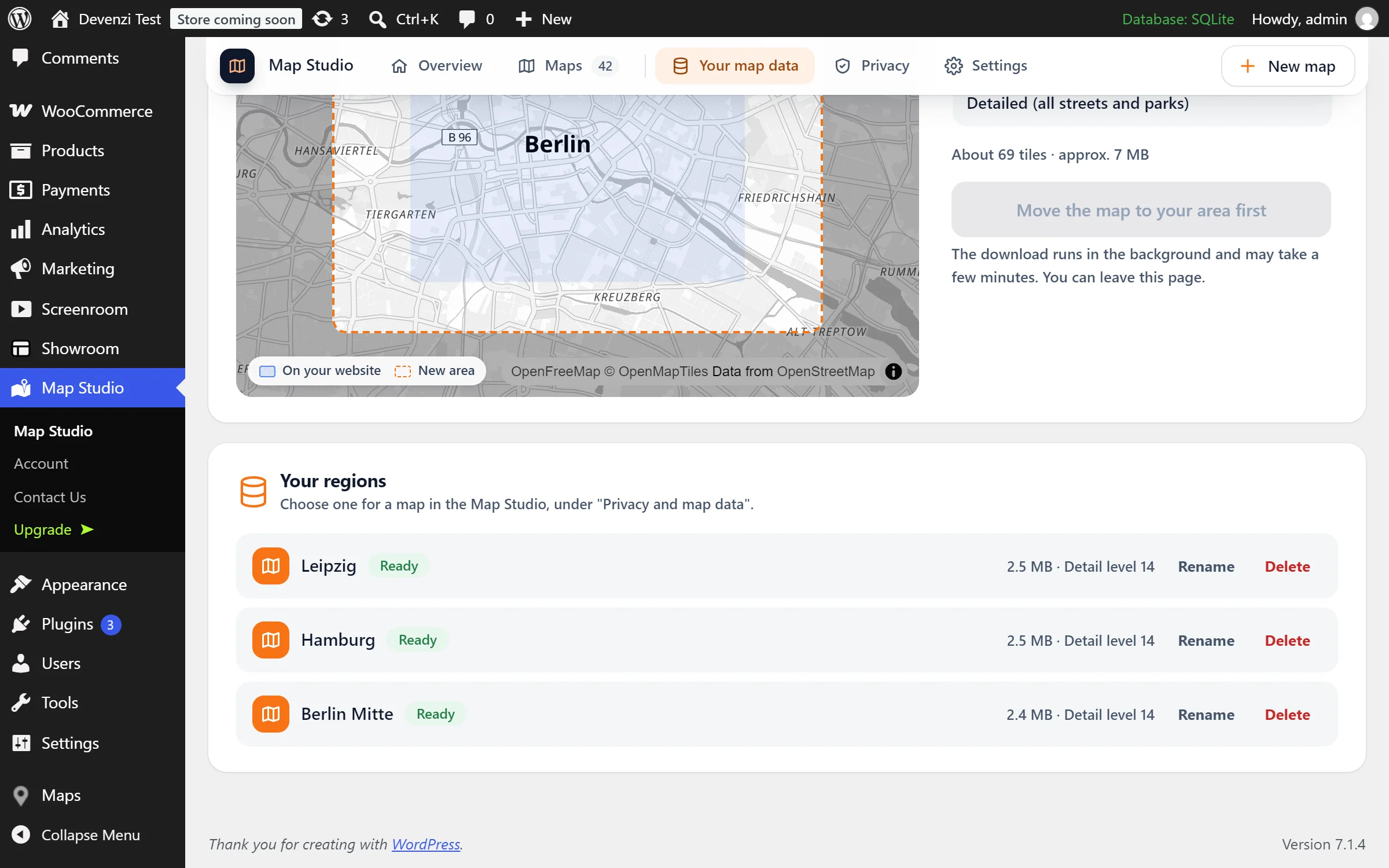
Your region on your website
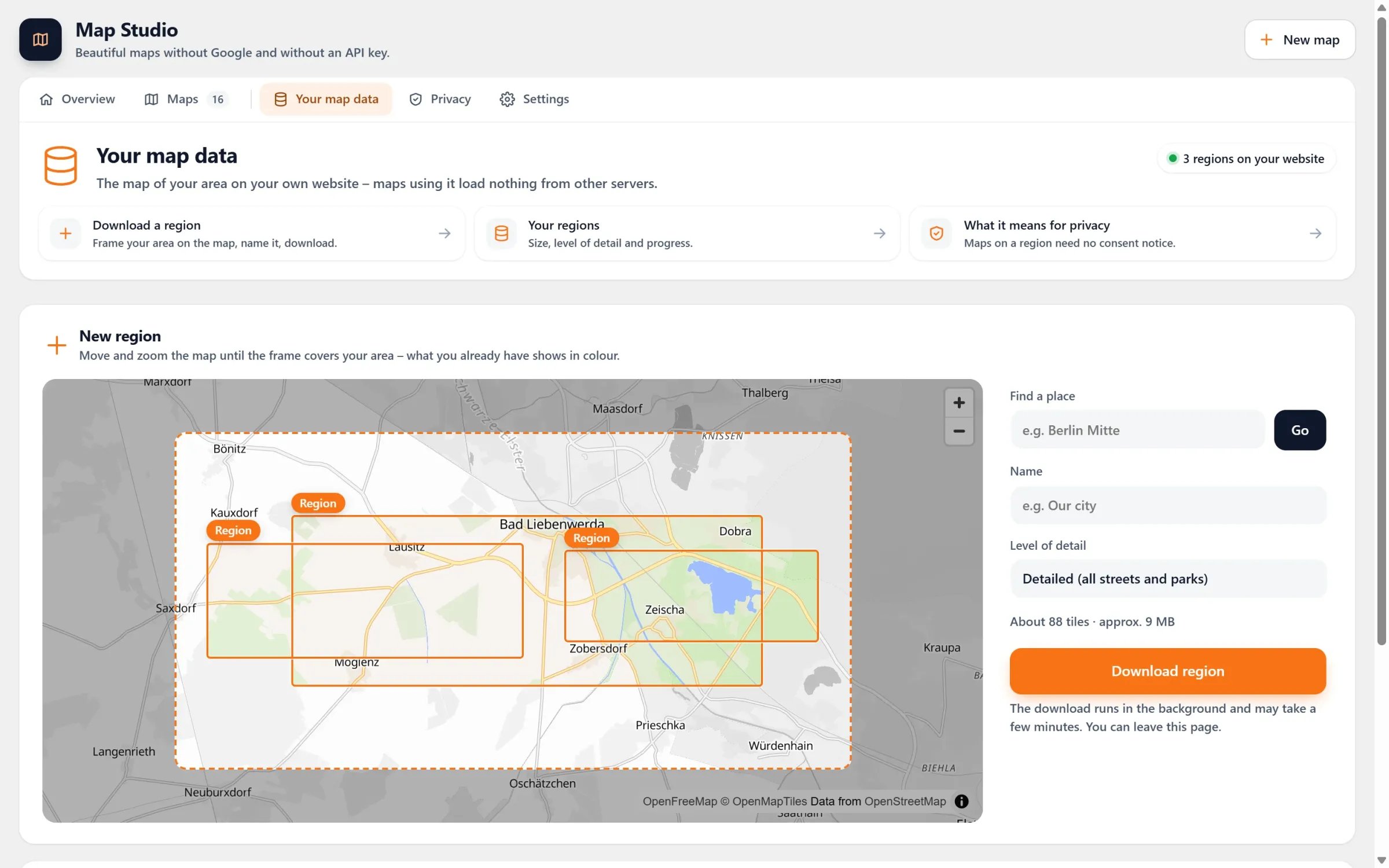
Frame your area, pick the level of detail, and Map Studio downloads it in the background: the map data along with its fonts and icons.
No consent notice
A map on your own data asks no other server. Your visitors see it at once, without a click and without a cookie banner for it.
Your look stays
Light, night, your brand colour and the other styles work on it too, and so do your places, areas and routes.
Grows with you
Need more of the map? Extend a region to a larger frame in one download. The maps on it keep working meanwhile.
Frame it, download it, choose it
- Frame your area. Map Studio → Your map data. Move and zoom the map until the orange frame covers your area. “Find a place” takes you there.
- Pick the detail and download. From “Overview (streets of a city)” to “All details (buildings, shops, house numbers)”. You see the size beforehand, then click “Download region”. It runs in the background; you can leave the page.
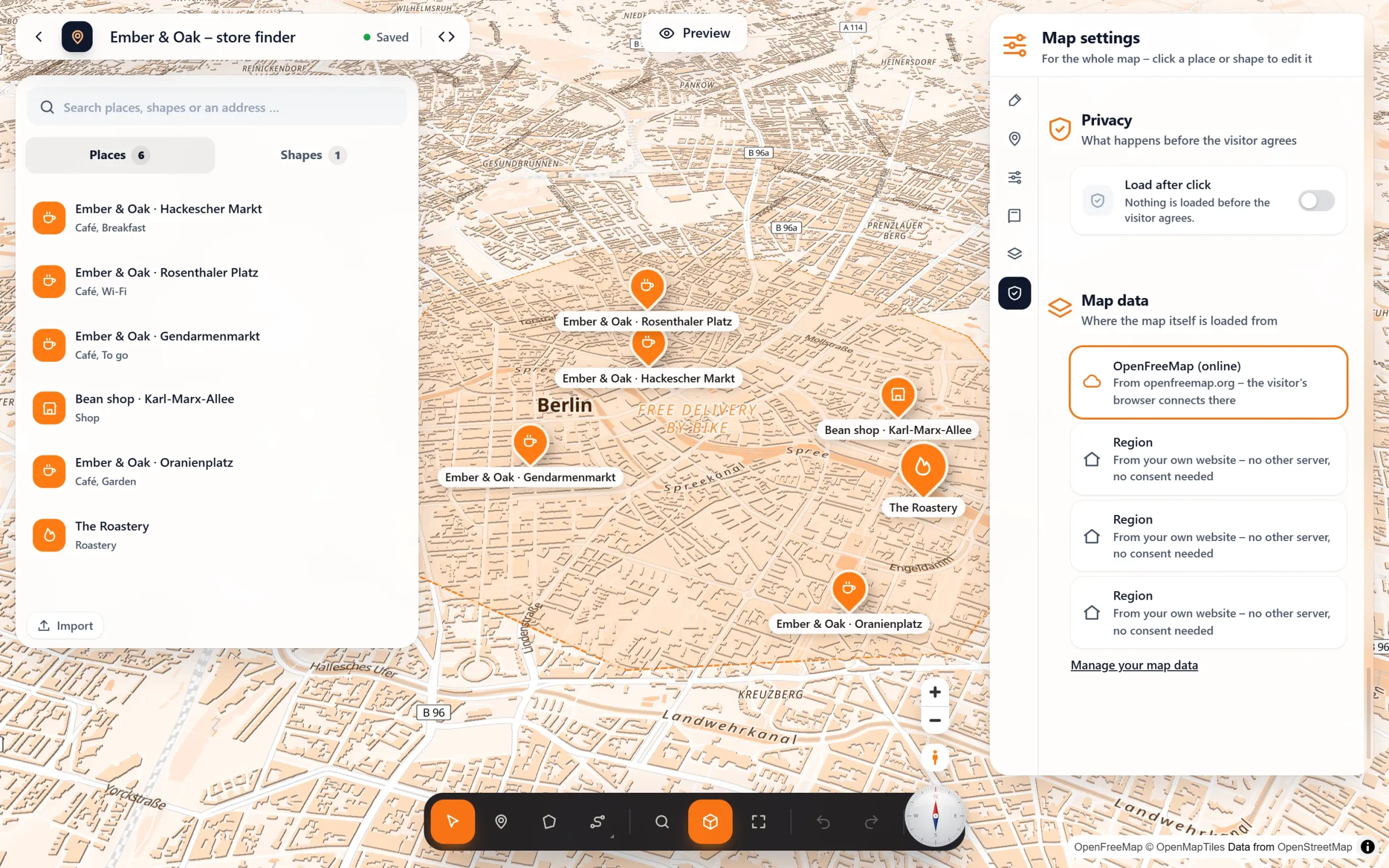
- Choose it for a map. In the studio: Map settings → Privacy → Map data, and your region instead of “OpenFreeMap (online)”.
Per map, in one click
Questions people ask
Can I see it working somewhere?
Right here. Every live map in these articles, the store finder for example, runs on a map of Berlin Mitte that lies on devenzi.com. Nothing is loaded from other servers.
How large can a region be?
A town or a district fits, and so does a stretch of countryside. Map Studio shows the size in MB before you download, and tells you when a frame is too large for the level of detail. In that case, choose a smaller frame or less detail.
What happens at the edge of the region?
There is no map data beyond it, so the map keeps visitors inside the region, with a little room around it.
Do I need special hosting?
No. The region lies in your uploads folder like any other file. If your server cannot send parts of a file, the map notices and lets WordPress deliver it instead.
Is it free?
Your own map data is part of Map Studio Pro. Without it, maps load from OpenFreeMap, and load after click keeps them waiting until visitors agree.
Part of Map Studio Pro
Pro adds it to the plugin you already have. Everything in the free version stays free and complete.