
The studio
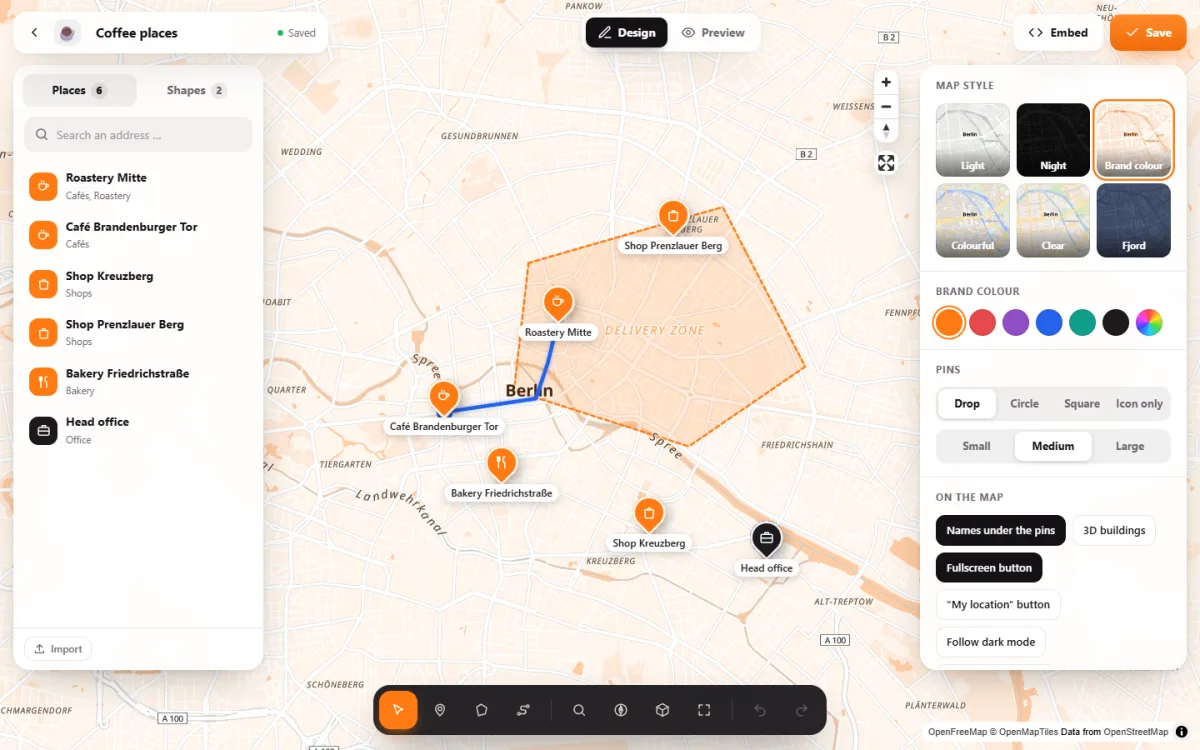
The map fills the screen, and you change it right there: click to set a place, then drag its pin or pull at the corners of an area. There are no settings pages or forms to fill in.
Designing, not filling in forms
Click and drag
Set places with a click, drag pins, corners and route points. Shift and drag a frame to move or colour several places at once.
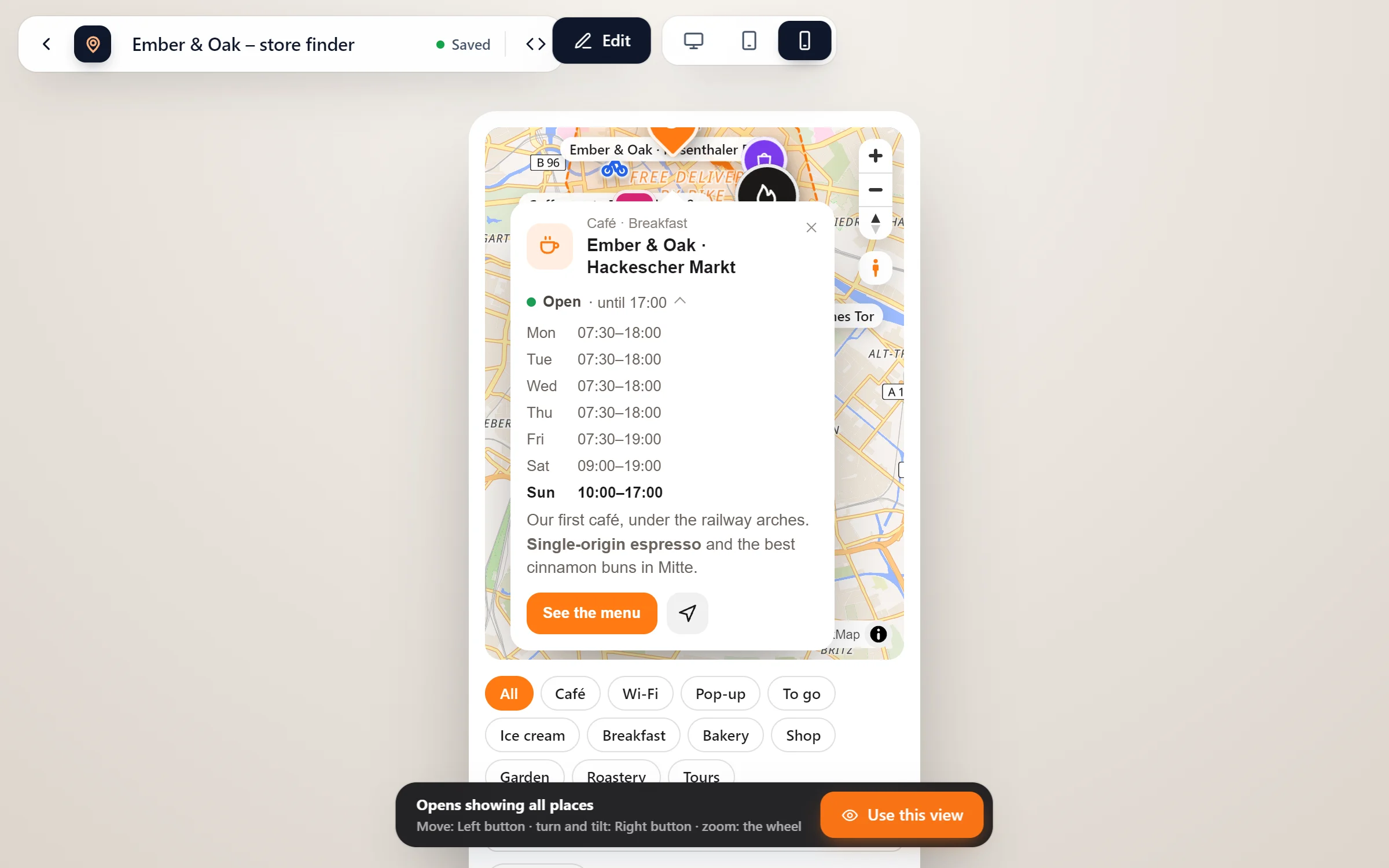
See what visitors see
“Preview” shows the map as it will be on your page, whether on a computer, a tablet or a phone.
Undo and redo, saved as you go
Every step can be undone. The map saves itself a moment after each change, and Ctrl+S saves at once.
Your keys, your mouse
Mouse buttons “like maps” or “like design programs”, and every key your own. The mouse button in the toolbar shows them all.
Everything has a fixed spot
- Start a map. Map Studio → New map, either empty or with one of the templates. The studio opens over the whole screen.
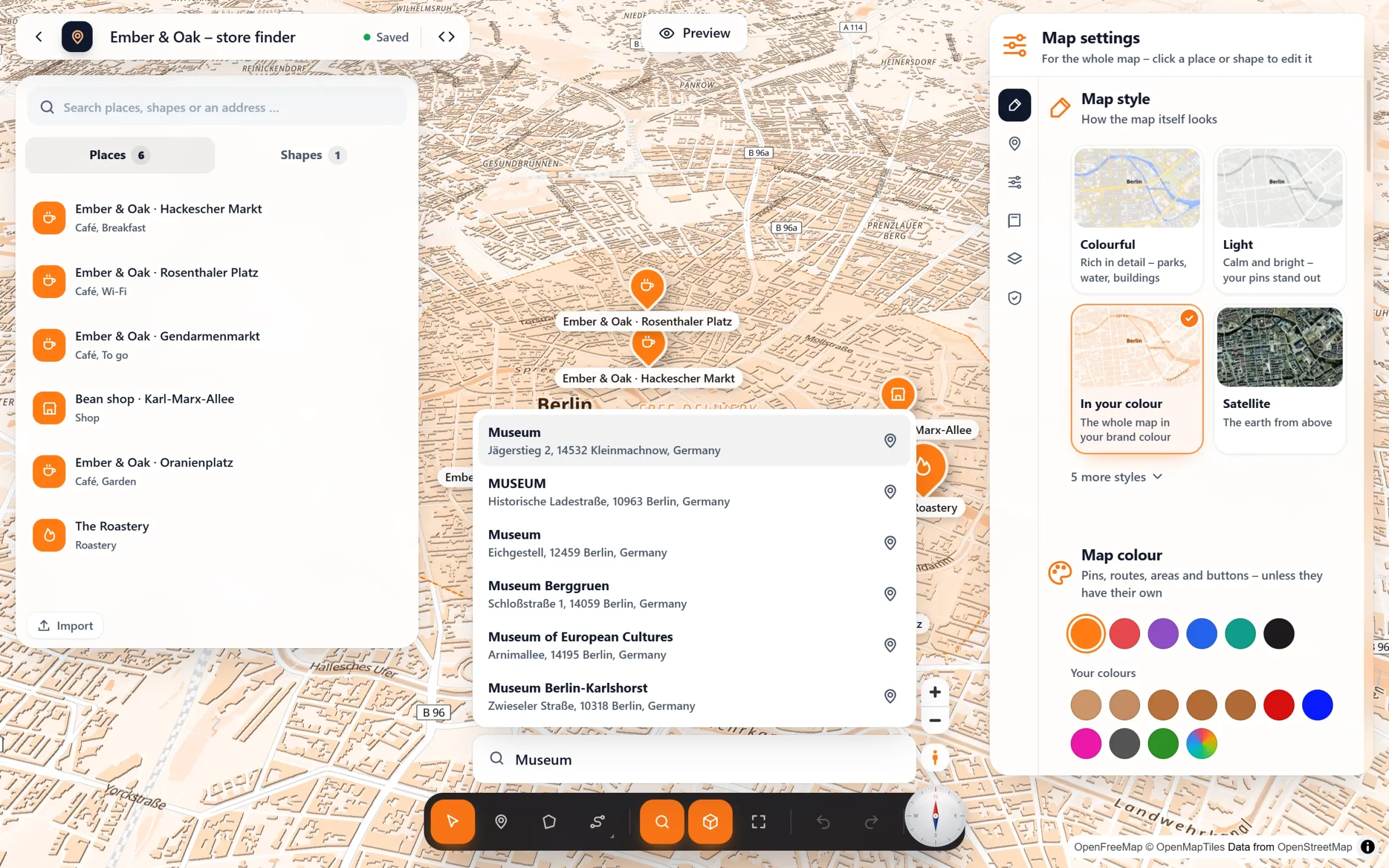
- Add what belongs on it. Search an address, click a café or a station of the map itself, or import a table. The toolbar below draws areas and routes.
- Give it your look. Map settings on the right: style, colour, pins, the list of places. Then the code button next to “Saved” gives you the shortcode. Or add it as a block or in Elementor.
Find it, then check it
Questions people ask
Which keys are there?
V moves, O sets a place, B draws an area, R a route, P plans a route along streets, Ctrl+K finds a place, Ctrl+Z and Ctrl+Y undo and redo, Ctrl+A selects all places, Delete removes what is selected, H shows the controls. You can change each of them.
Can I arrange the panels my way?
Yes. Each panel is one page you scroll through. Put its topics in your own order and drag the panels to the size you like.
Do I have to leave the page I am writing?
No. In the block editor, the studio opens as a layer over your post, and you are back where you were when you close it.
Is it free?
Yes. The studio, with search, import, templates, undo and preview, is the free plugin. Map Studio Pro adds things to it, like story maps, but not a different editor.
In our guides: make an interactive map · map plugins compared
Free in Map Studio
Install the plugin, open Map Studio and start designing. You need no account and no API key.