
Import
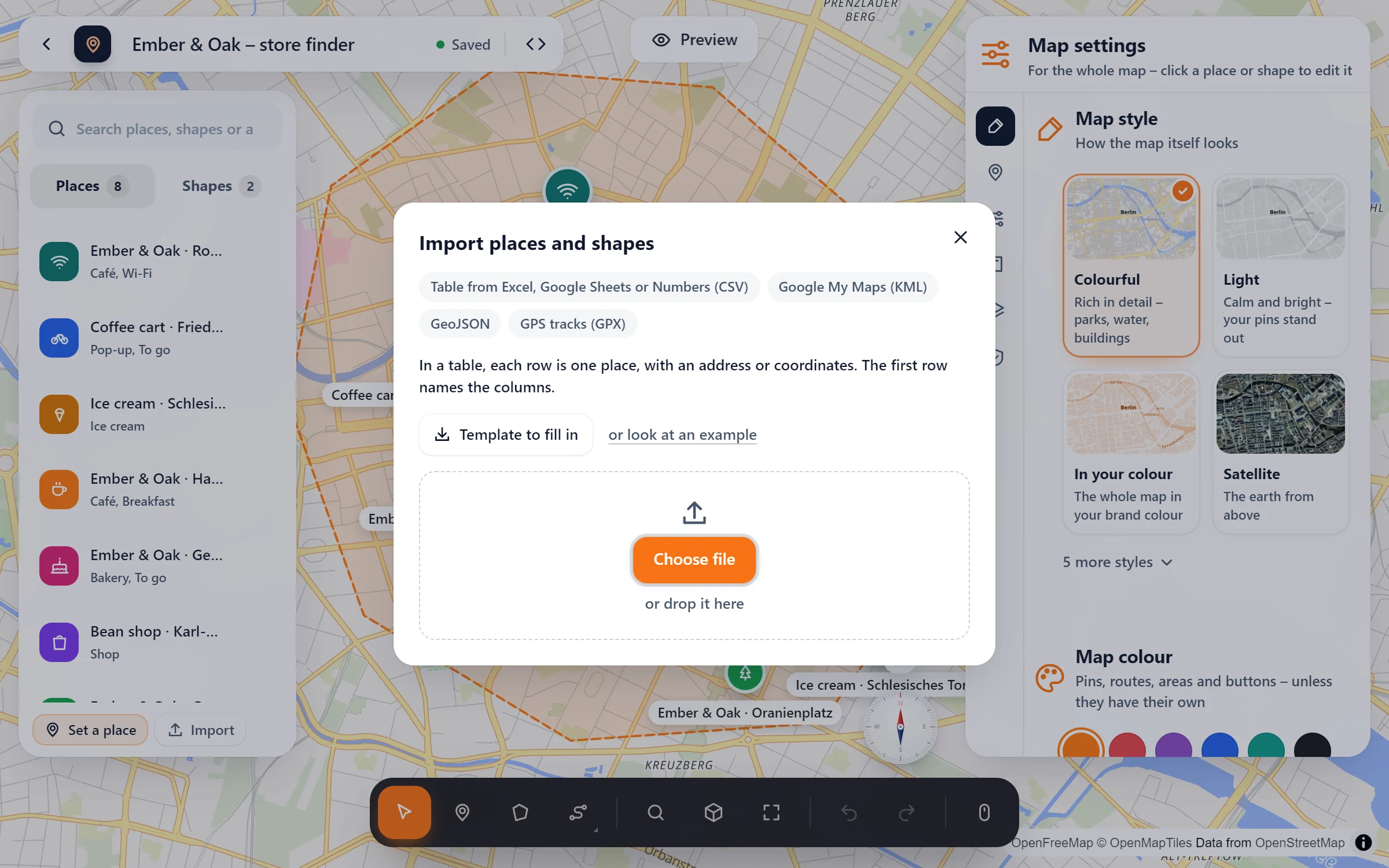
Your list of shops, members or stops already exists somewhere. Drop it into the studio as a table, a Google My Maps export or GeoJSON, and the places are on the map with their addresses found for you.
The list you have, on the map you want
Tables
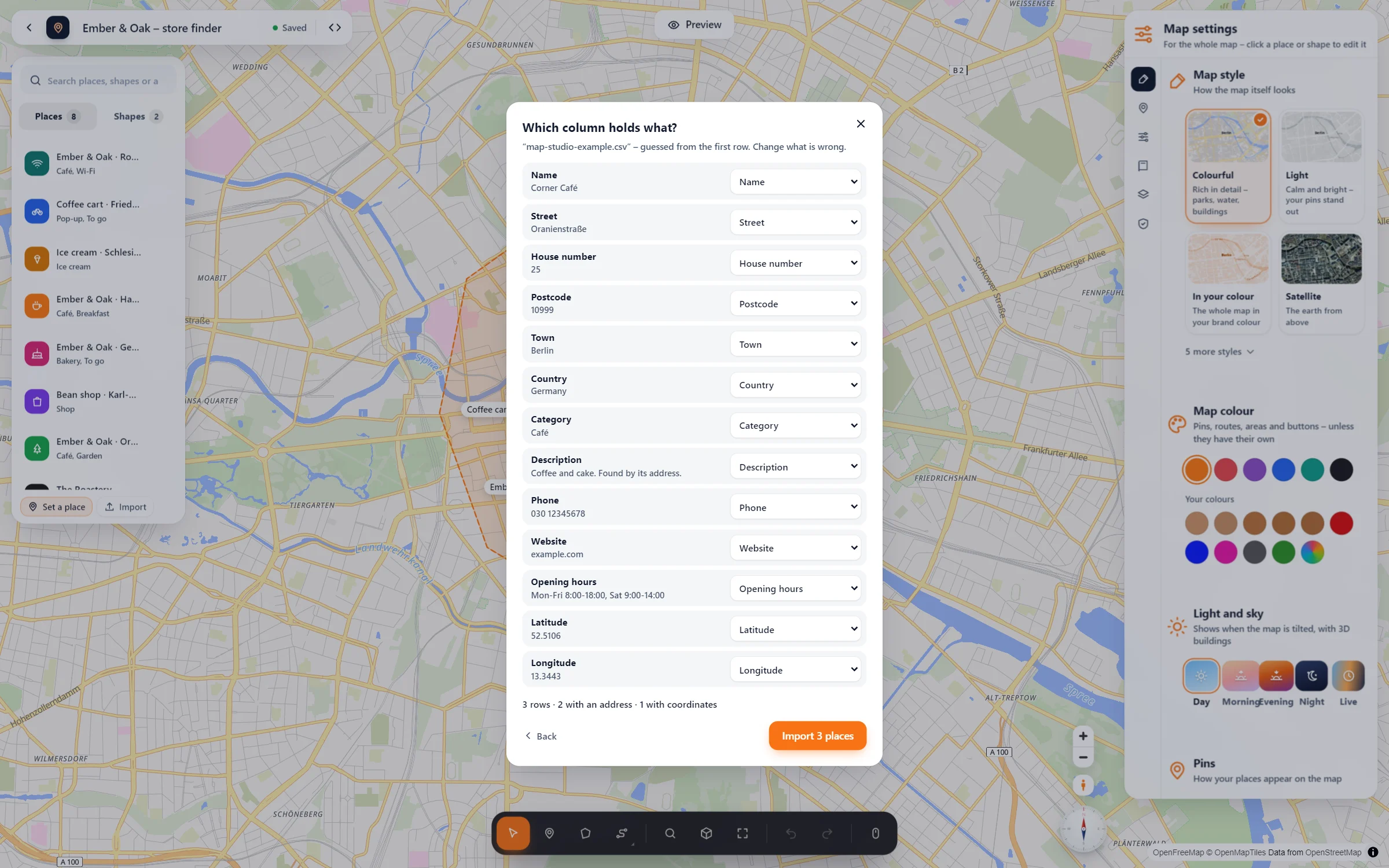
A CSV from Excel, Google Sheets or Numbers: name, address, category, description, phone, website and opening hours.
Addresses found for you
Rows with an address but no coordinates are looked up one after the other. Rows with coordinates go straight on the map.
Google My Maps
Export it as KML: places, lines and areas come along, with names and descriptions. Its layers become categories.
From another map plugin
Maps from WP Go Maps and WP Maps, and the stores of WP Store Locator, come over in one click – with categories and shapes. Their shortcodes keep working.
Three steps from file to map
- Open “Import”. In the studio, at the bottom of your places. Starting fresh? “Template to fill in” gives you an empty table with the right columns, “or look at an example” a filled one.
- Choose your file or drop it in. KML and GeoJSON are imported at once. For a table, the studio asks “Which column holds what?” and fills in a guess from the headings (English or German) that you can change.
- Import. The button says how many places will come. Addresses are found one by one, then the map shows them all.
Questions people ask
Can I import an Excel file directly?
Save it as CSV first: in Excel with “Save As” → “CSV UTF-8”, in Google Sheets with “Download” → “CSV”, in Numbers with “Export To” → “CSV”. The studio tells you the same if you drop in an .xlsx.
How are opening hours read?
As people write them: “Mo-Fr 09:00-18:00, Sa 10-14”, “Mon-Sun 8:00-22:00” or “24/7” become the opening hours of the place, shown as “Open · until 18:00” in its popup.
How many places at once?
Up to 500 places per import. Addresses are looked up for the first 100. For the others, add coordinates or import the table in parts. With many places, switch on group bubbles.
Where do the addresses go?
To Photon by komoot, which finds them. Your browser sends them while you import; your visitors’ browsers never do.
Is it free?
Yes. Tables, KML and GeoJSON are part of the free plugin. GPX tracks with their elevation come with Map Studio Pro (see GPX & elevation profile).
Can I bring my maps over from another plugin?
Yes, from WP Go Maps, WP Maps and WP Store Locator. Map Studio → Maps lists their maps; tick them and bring them over with places, categories, areas, lines and circles – stores with address, phone and opening hours. Once you deactivate the old plugin, its shortcodes and blocks show the maps brought over, so your pages need no changes. More in the WP Go Maps comparison.
In our guides: from Google My Maps to your website · switching from WP Go Maps
Lists that should be maps
- Branch lists from the office
- Dealers and service partners
- Members of an association
- Old Google My Maps
- Open data of your town
Free in Map Studio
Install the plugin, open Map Studio and start designing. You need no account and no API key.