
Popups
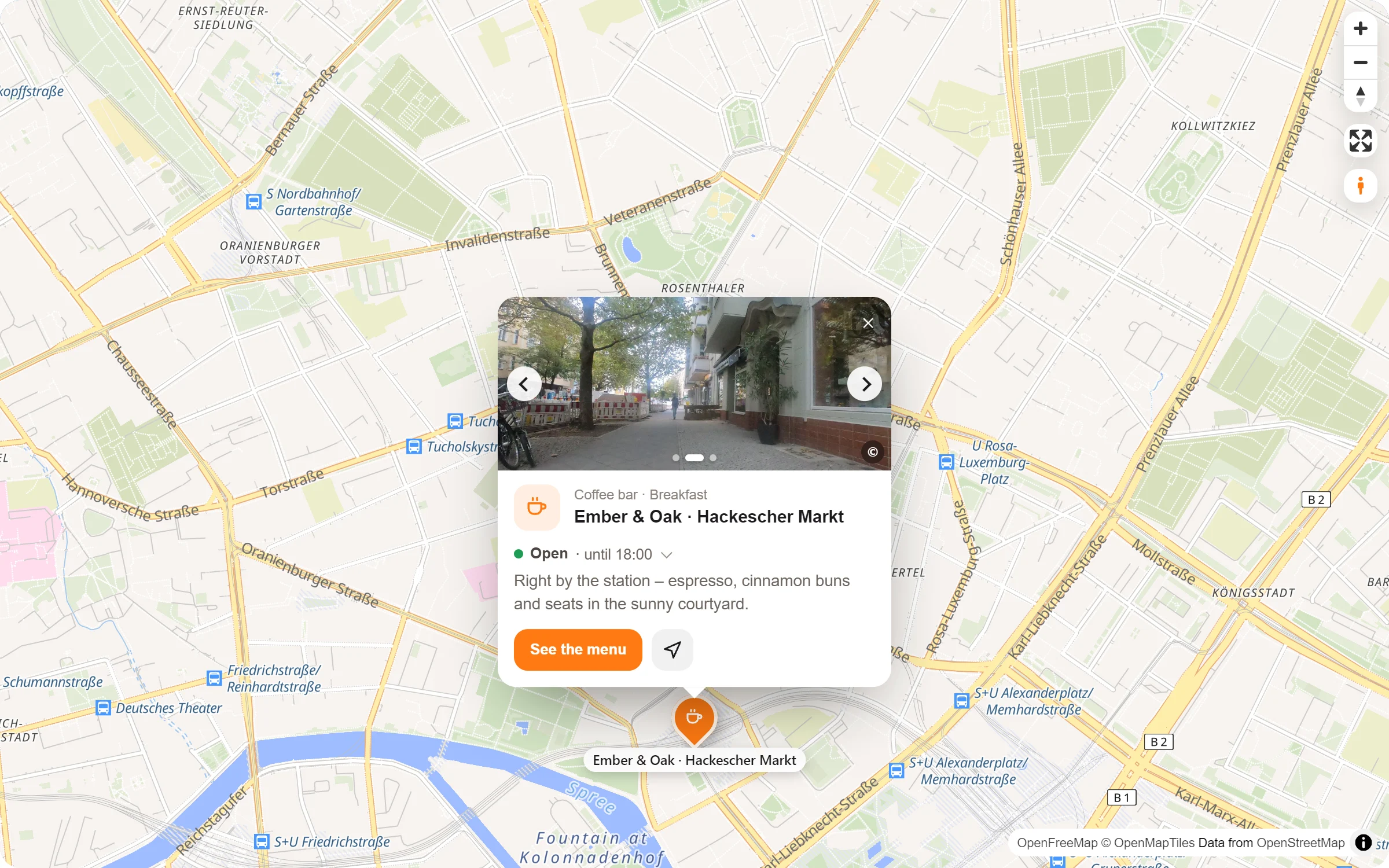
A click on a pin, and the place tells its story: what it is, whether it is open, a few lines of text, photos to swipe through and the way there. You decide how much it says and how it opens.
- Ember & Oak Roastery: Cuppings every Saturday at 11. Taste three new coffees with the people who roasted them.
- Ember & Oak · Hackescher Markt: Neue Promenade 4, 10178 Berlin
- Ember & Oak · Rosenthaler Platz: Big windows, long tables, fast Wi-Fi. A favourite for working mornings.
- Ember & Oak · Gendarmenmarkt: Markgrafenstraße 36, 10117 Berlin
- Ember & Oak Bakehouse: Sourdough, buns and pastries – baked every morning.
Live: this is the plugin itself, not a picture. The roastery’s popup is always open, Hackescher Markt opens when you point at its pin, the others on a click.
Everything about a place, in one small card
Text with a little form
Bold, italic, lists and links. Above it the place’s icon, its name and its categories.
Photos to swipe
One photo or several, which visitors swipe through or browse with the arrows. The first one is the cover.
A button and the way
A button to your page, in your words. “Get directions” opens Google Maps, Apple Maps or OpenStreetMap, and nothing loads before the click.
Open right now?
“Open · until 18:00” at the top, the whole week one tap away. Both come from the opening hours you enter once.
On your site and in the studio
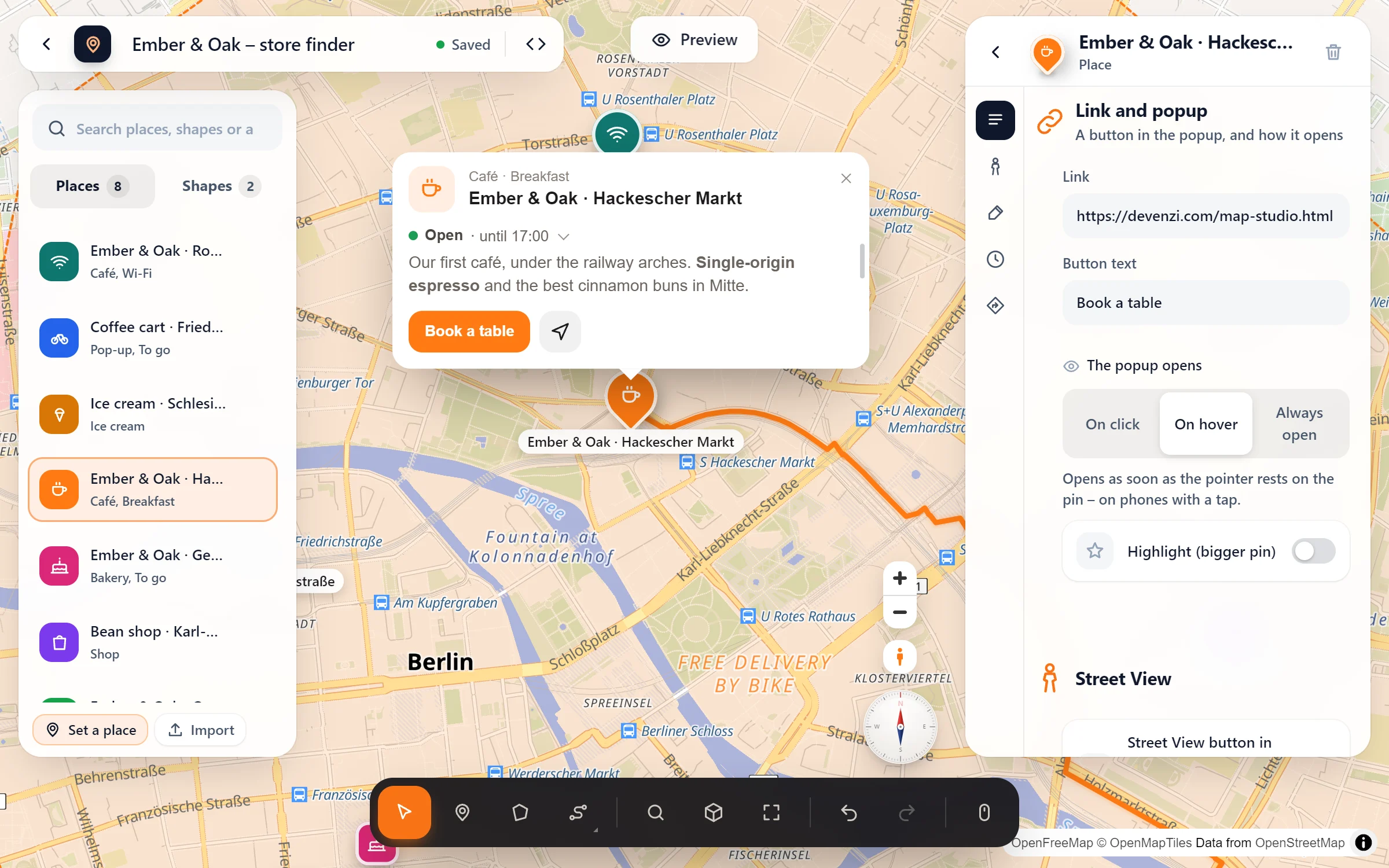
Write it where you see it
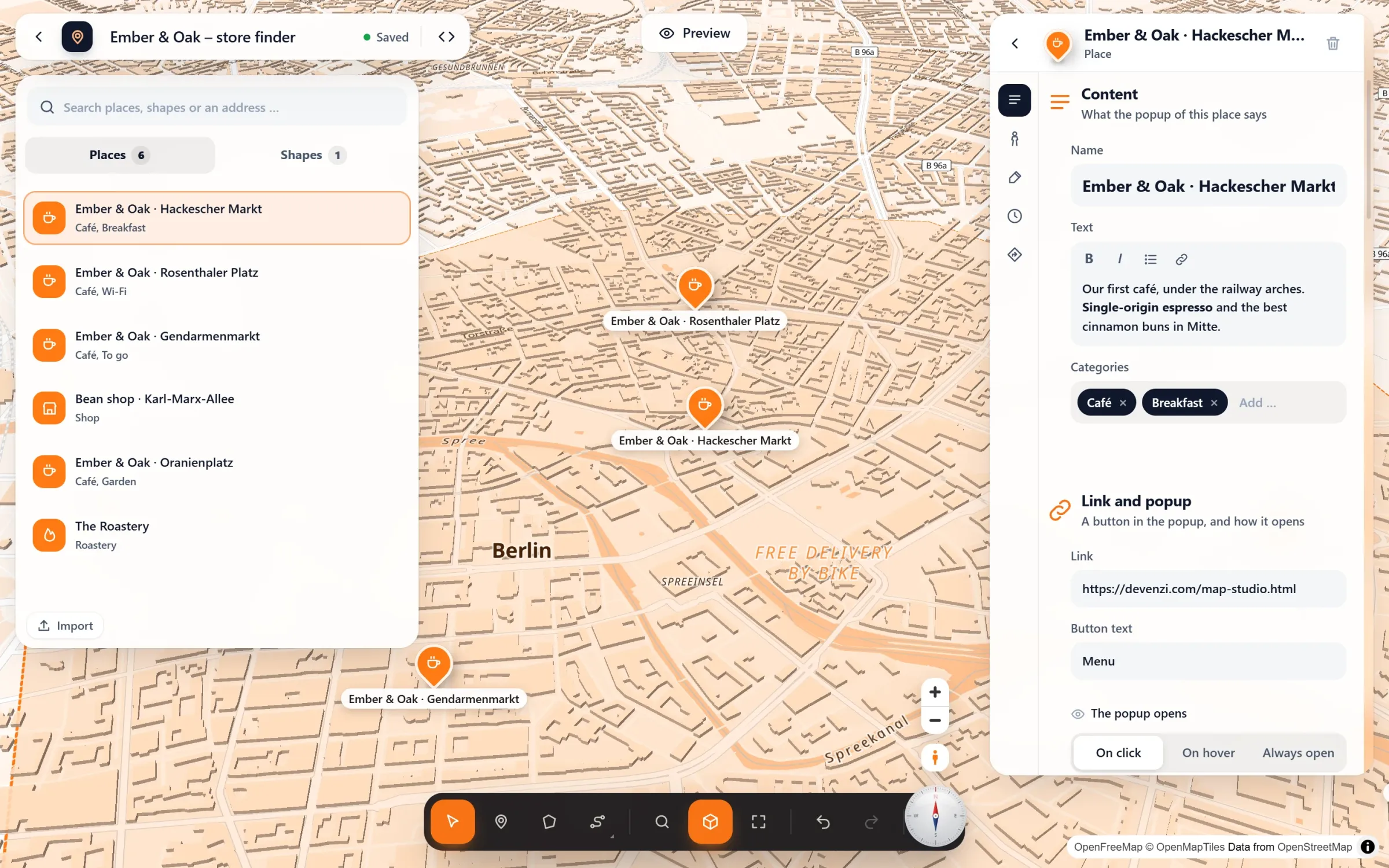
- Click a place. Its panel opens next to the map, and so does its popup, where every word you type shows up at once.
- Fill in “Content”. Name, text and categories; under “Opening hours and photos” add photos from your media library. A link adds a button, and “Button text” names it.
- Choose how it opens. “The popup opens”: on click, on hover or always open. The “Get directions” button is set for the whole map under Map settings → Behaviour.
Questions people ask
What happens on phones?
A tap opens the popup, even with “on hover”, since there is no mouse to rest on the pin. A popup that does not fit moves the map a little, so it is never cut off.
Can a popup stay open?
Yes: “Always open” shows it from the start, and it closes only with its ×. Good for the one place a map is about, such as a venue, an office or a meeting point.
Can I set the width?
Drag the popup’s right edge in the studio, from narrow to wide. A double-click on the edge makes it automatic again.
Is it free?
Yes, all of it. Map Studio Pro can add a 360° view at the top of a popup and the stops and lines nearby below the text.
Free in Map Studio
Install the plugin, open Map Studio and start designing. You need no account and no API key.