
Store finder
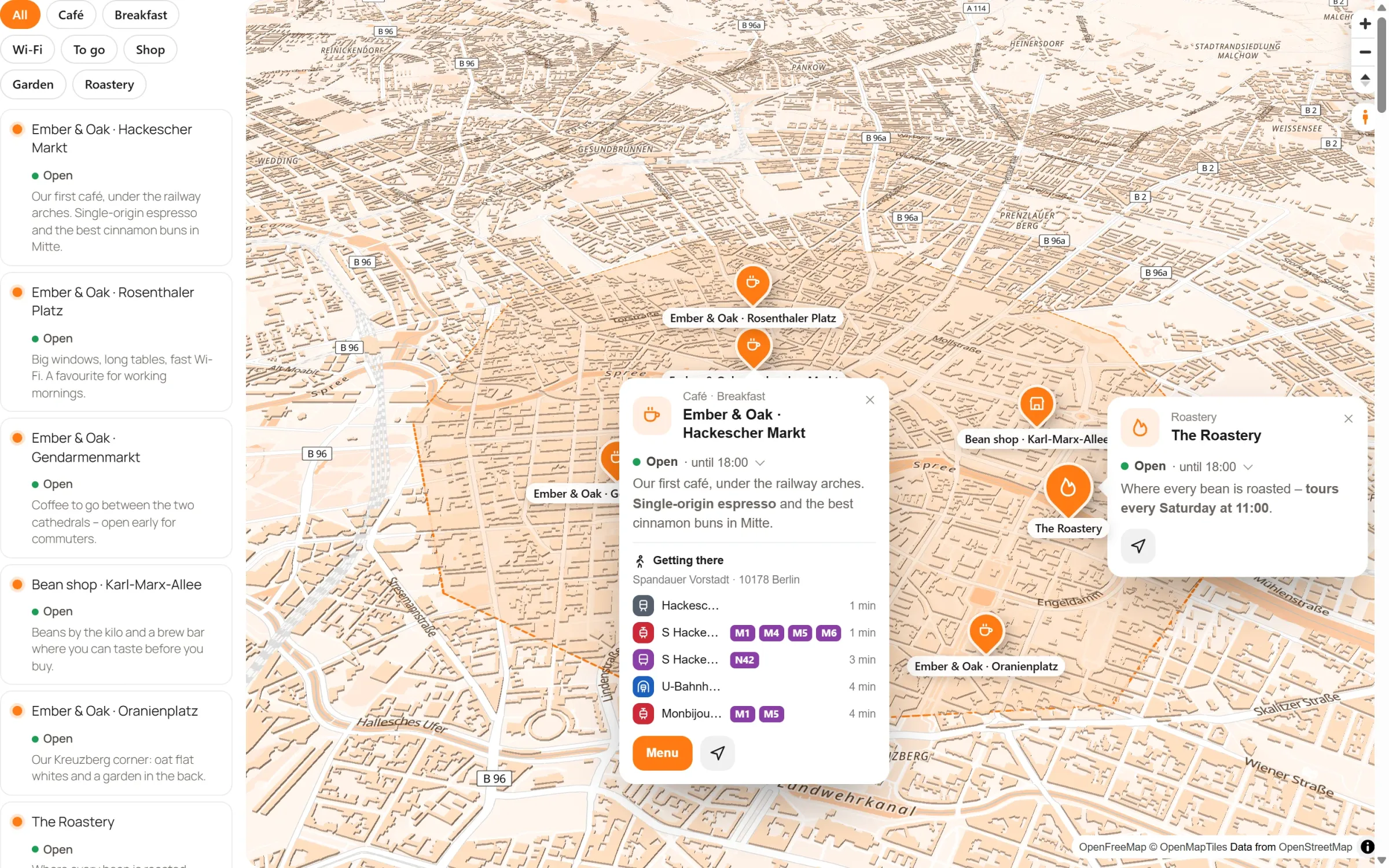
Show all your locations on one map, with a list next to it that visitors search, filter by category and sort by distance. Everyone finds the nearest shop, and whether it is open right now.
Live: this is the plugin itself, not a picture. Search for “bakery”, pick a category or press “Near me”.
Find the right place quickly
Search as they type
Visitors type a name, street or category, and the list and the map narrow down with every letter.
Filter by category
One tap shows only the bakeries. A place can be in several categories at once.
“Near me”
Sorts the list by distance from where the visitor stands. The location stays in their browser.
Open right now?
“Open · until 19:00” shows in the list and the popup, taken from the opening hours you enter once.
Three steps, no form to fill in
- Add your places. Type an address, click a shop that is already on the map, or import your list from Excel. The addresses are found for you.
- Give them categories and opening hours. Right on the map: click a place and fill in its panel.
- Switch on the list. Map settings → List: next to the map or below it. Then put the map on any page, as a block, in Elementor or with a shortcode.
Questions people ask
How many locations can it show?
Hundreds without a second thought. With many places, switch on group bubbles: nearby pins become one bubble with their number, and the map stays quick even with thousands.
Do I need a Google API key?
No. Map Studio uses OpenStreetMap – no key, no account, no billing. “Get directions” opens Google Maps, Apple Maps or OpenStreetMap, as you choose.
Is it free?
Yes. The store finder with search, categories, “Near me” and opening hours is part of the free plugin, without limits on places.
What about privacy?
“Near me” asks for the location only when a visitor presses it, and the position never leaves their browser. If you like, the whole map loads only after a click, and then you need no cookie banner for it.
In our guides: store locator for WordPress
Who uses a store finder
- Shop chains and franchises
- Dealers and service partners
- Practices, clinics and pharmacies
- Cafés and restaurants with several locations
- Charging points and parcel stations
- Associations with clubs in many towns
Free in Map Studio
Install the plugin, open Map Studio and start designing. You need no account and no API key.