
Load after click
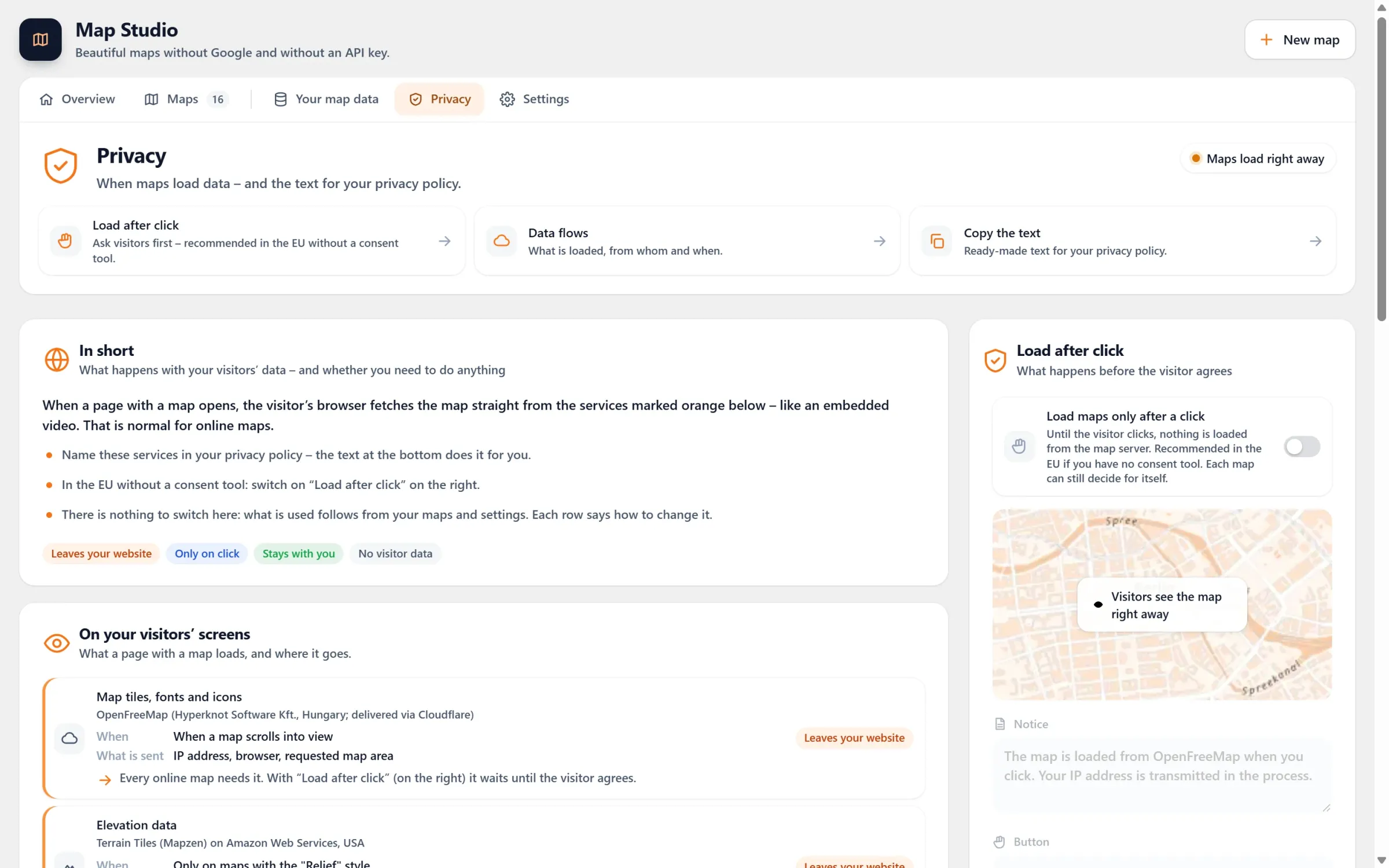
Your map waits behind a short notice. Only when a visitor clicks “Load map” does their browser fetch the map, and that choice also holds for the other maps on your site.
- Ember & Oak · Rosenthaler Platz: Rosenthaler Straße 1, 10119 Berlin
- Ember & Oak · Hackescher Markt: Neue Promenade 4, 10178 Berlin
- Ember & Oak · Gendarmenmarkt: Markgrafenstraße 36, 10117 Berlin
- Ember & Oak Bakehouse: Prinzenstraße 85, 10969 Berlin
- Ember & Oak Roastery: Paul-Lincke-Ufer 21, 10999 Berlin
Live: this map waits for you. Press “Load map”, then reload the page: your browser remembers the click. (Here the map data comes from our own server, so nothing would leave this site anyway.)
A question first, the map second
Nothing before the click
The browser fetches no map tiles, fonts or icons and asks no map server until the visitor agrees. Until then, they see a calm placeholder with your notice.
Your own words
Write the notice and the button text yourself. Left empty, it says where the map comes from and that the IP address is transmitted.
One click for the whole site
The choice stays in the visitor’s browser (in local storage, not in a cookie). The other maps on your site then load right away.
Easy to take back
The shortcode [devenzi_map_consent] puts a “Withdraw my consent for maps” button on your privacy page, just like the one above.
One switch, and a text you can copy
- Switch it on for all maps. Map Studio → Privacy → “Load maps only after a click”. Notice and button text are right below, with a small preview.
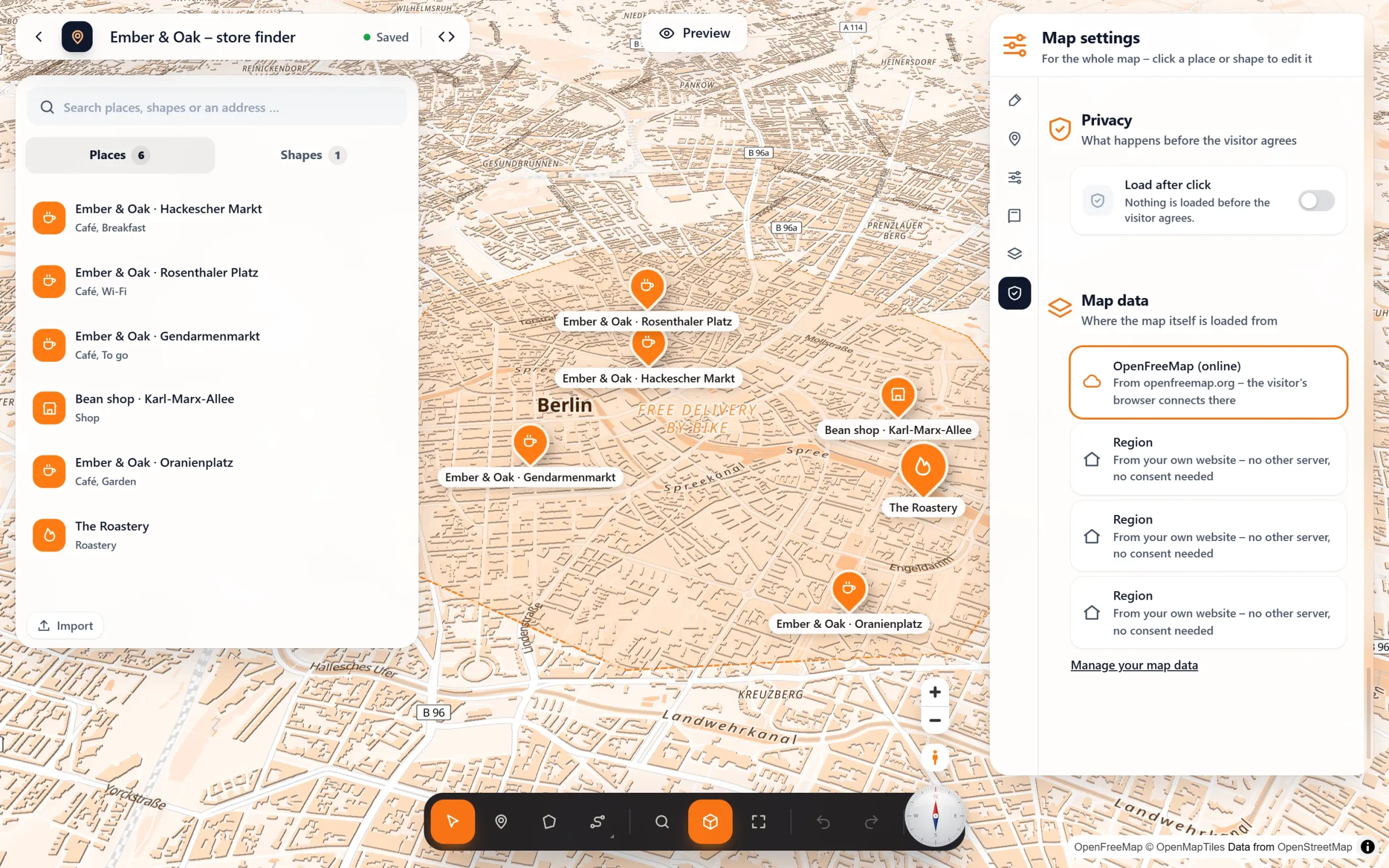
- Or for one map. In the studio: Map settings → Privacy → “Load after click”. Each map can decide for itself.
- Tell your visitors. “Copy the text” gives you a paragraph for your privacy policy. It already names the button to withdraw, so put
[devenzi_map_consent]on that page.
Questions people ask
Does it work with my cookie tool?
Yes. Map Studio asks Complianz (category “marketing”), Borlabs Cookie 3 (a service with the ID map-studio) and Real Cookie Banner (a service named map-studio) through their own interfaces. Once a visitor agrees there, the maps load without a second question. Any other tool can call window.devenziMapConsent() in its opt-in code.
Do visitors have to click on every map?
No. One click counts for every map on your site in that browser. Only a map with servers the visitor has not agreed to yet asks again. With Map Studio Pro, that can be the relief or satellite styles, for example.
Can I do without the notice altogether?
With your own map data the map comes from your own website and no other server is asked. Then there is nothing to agree to.
Is it free?
Yes. Load after click, your own notice, the withdraw button and the privacy text are all part of the free plugin. The text is a suggestion for you to adapt. Please have it checked, as it is not legal advice.
In our guides: Google Maps and the GDPR
Decide per map
Free in Map Studio
Install the plugin, open Map Studio and start designing. You need no account and no API key.