
Store locator for WordPress – free, without Google
Several shops, practices, dealers or pick-up points? A store locator shows all locations on a map, with a list next to it where visitors search, filter and find the nearest one. Here is how to build one in WordPress without Google and without an API key, and when a dedicated store locator plugin is the better choice.
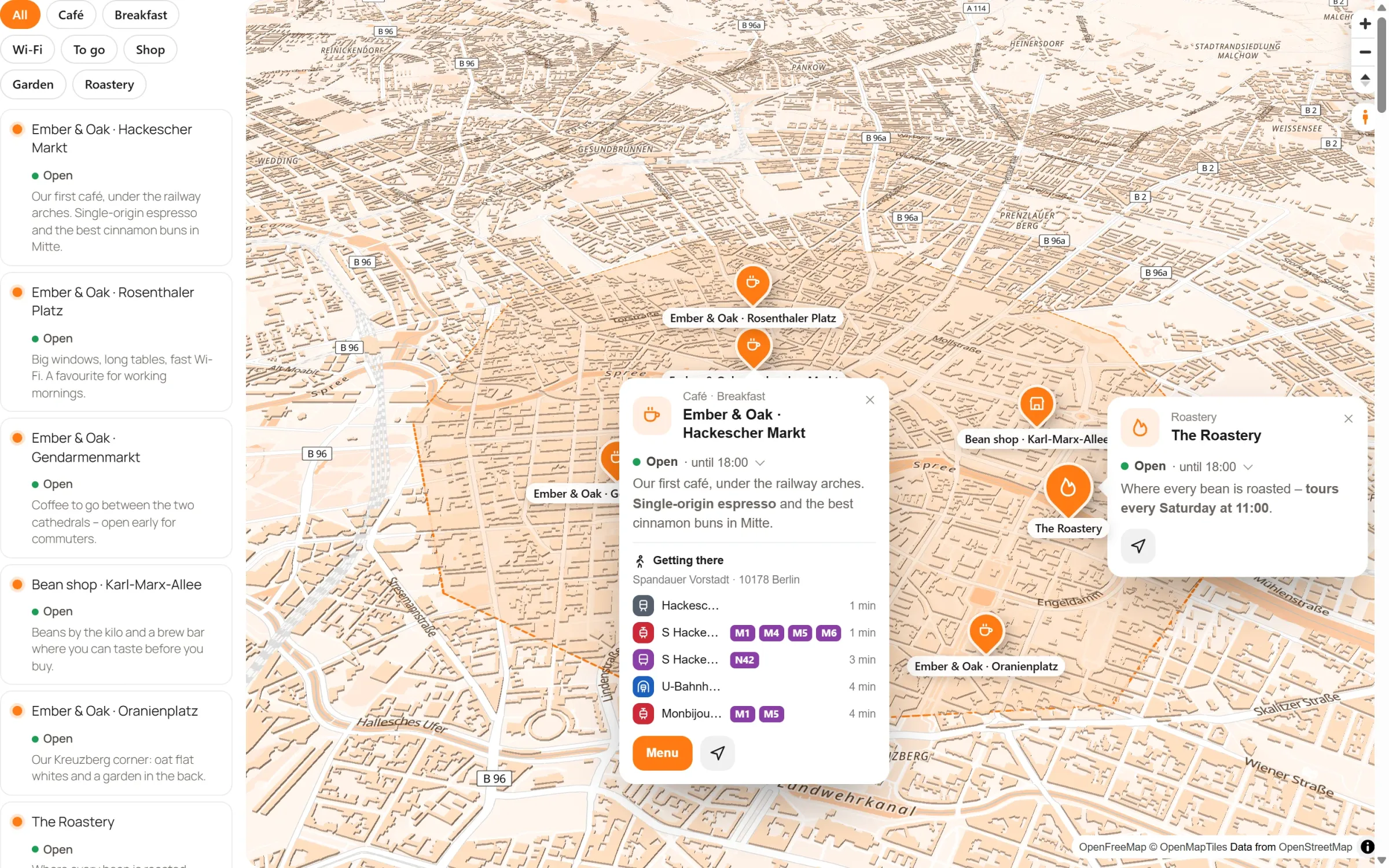
- A good store locator has a map and a list, search, category filters, “Near me” and opening hours with “open now”.
- Many store locator plugins rely on Google Maps with an API key and billing; some now also offer OpenStreetMap without a key.
- With Map Studio it is free on OpenStreetMap: import your locations, pick the “Store finder” template, done.
What a store locator should do
- Map and list together: on a phone, a list is often quicker than the map. A click in the list flies to the place.
- Search: by name, town or district.
- Filters: by category, such as store, partner or pick-up point.
- “Near me”: sorted by distance from the visitor, only if they allow it.
- Opening hours: and the answer to the real question: is it open right now?
- Directions: one click to the way there.
- Privacy: the map should not send data to third parties without asking.
Google or OpenStreetMap?
Many store locator plugins are built on Google Maps, and some now offer OpenStreetMap without a key as well, such as WP Store Locator and Agile Store Locator. Staying with Google means an API key with a card on file, costs beyond a certain number of map loads and, in the EU, usually a consent prompt before the map may load. See Google Maps API alternatives.
Step by step with Map Studio
Map Studio is our free WordPress plugin for OpenStreetMap maps. The store finder is part of the free version.
- Install: in WordPress, go to Plugins → Add New, search for “Devenzi Map Studio” and activate it. No account, no key.
- Pick the template: Map Studio → New map → “Store finder”. The list with search, filter and “Near me” is already set up.
- Import your locations: save your spreadsheet as CSV and import it. Map Studio finds the coordinates for the addresses. From Google My Maps, use KML.
- Add details: categories, opening hours, photos and text per location. For a delivery area, draw an area.
- Design: your brand colour for pins and buttons, a map style, icons per category.
- Add it: with the block, the Elementor widget or a shortcode. Without a consent tool, switch on load after click.
Map Studio or a dedicated store locator?
| Dedicated store locator (e.g. WP Store Locator, Agile Store Locator) | Map Studio | |
|---|---|---|
| Map | OpenStreetMap without a key, or Google, Mapbox and others | OpenStreetMap as a vector map, with 3D and map styles |
| Search | by address, postcode or town, with a radius | search in the list, category filter, “Near me” |
| A page per location | in some plugins | no |
| Opening hours with “open now” | depends on the plugin | yes, free |
| Areas and routes | some offer areas | areas, routes along real roads |
| Editing | settings pages | editor right on the map |
To be fair: if you need a postcode radius search across hundreds or thousands of locations, a page per location or many custom fields, a dedicated store locator is the better choice. For businesses with a few to a few hundred locations that want a map in their own look, maybe with a delivery area or a route, Map Studio fits well. Weighing up WP Store Locator in particular? See WP Store Locator alternative.
Frequently asked questions
Is the store finder really free?
Yes. The list, search, category filter, “Near me”, opening hours and the import are all in the free version on WordPress.org, with no account and no subscription. The OpenFreeMap tile service has no usage limits for normal websites either.
How many locations can I show?
Many. Pins that are close together are grouped and open up as you zoom, so the map stays clear with hundreds of locations.
Can I update locations later?
Yes. Change single places right on the map, or import a new spreadsheet whenever you like.
I already use WP Store Locator – can I switch?
Yes, in one click. Map Studio → Maps finds your stores and makes one store finder of them, with address, phone, e-mail, opening hours and categories. Your pages need no changes: once you deactivate WP Store Locator, its [wpsl] shortcode and block show the new store finder.
Does it work with Elementor and WooCommerce sites?
Map Studio works with any theme: a block, an Elementor widget and a shortcode for everything else. It is not tied to WooCommerce products.
Your store locator – free
Install Map Studio from WordPress.org, pick the “Store finder” template and import your locations.