
Google Maps API alternatives – maps without an API key or billing
You want a map with your own markers, but Google asks for a billing account and a credit card before you get a key. Here is what Google requires, which open alternatives exist for maps, addresses and routes, and how to skip the key entirely in WordPress.
- A Google Maps API key always needs a Google Cloud project with billing enabled, even if you stay within the free monthly allowance.
- The open alternative: OpenStreetMap data, a map library like MapLibre GL JS or Leaflet, and a tile service like OpenFreeMap, which needs no key.
- On WordPress you don’t have to put this together yourself: Map Studio uses exactly these open parts and needs no key and no account.
What Google requires
The Google Maps Platform (Maps JavaScript API, Geocoding, Directions, Places and others) works with API keys from a Google Cloud project. Before a key works, you have to enable billing and add a payment method. Google includes a free monthly allowance; beyond it, every map load and request is billed. Google sets the details and changes them from time to time, so check its current pricing page. If you need a key anyway, here is how to get a Google Maps API key.
The only Google map that works without a key is the simple embed from Google Maps itself (Share → Embed a map): one place, Google’s look, no markers of your own. See How to add a map to your website.
Open alternatives, part by part
The Google Maps API bundles several services. Each one has open alternatives:
| You need | Open alternatives (examples) | |
|---|---|---|
| Map library in the browser | Maps JavaScript API | MapLibre GL JS (vector maps, 3D), Leaflet (raster maps), both open source |
| Map data | Google’s map | OpenStreetMap, free to use with attribution |
| Map tiles | included in the API | OpenFreeMap (free, no key), commercial services with free tiers such as MapTiler or Stadia Maps, or your own server with Protomaps (PMTiles) |
| Address search (geocoding) | Geocoding / Places API | Nominatim, Photon (both on OpenStreetMap data; respect the usage policies of the public servers) |
| Routes | Directions / Routes API | OSRM, Valhalla, GraphHopper, openrouteservice (public servers or your own) |
For a developer this is a toolbox: pick a library, a tile service and, if needed, geocoding and routing. Public servers of open projects are run by volunteers or companies on a fair-use basis, so for heavy use, run your own or use a paid plan.
On WordPress: no key at all
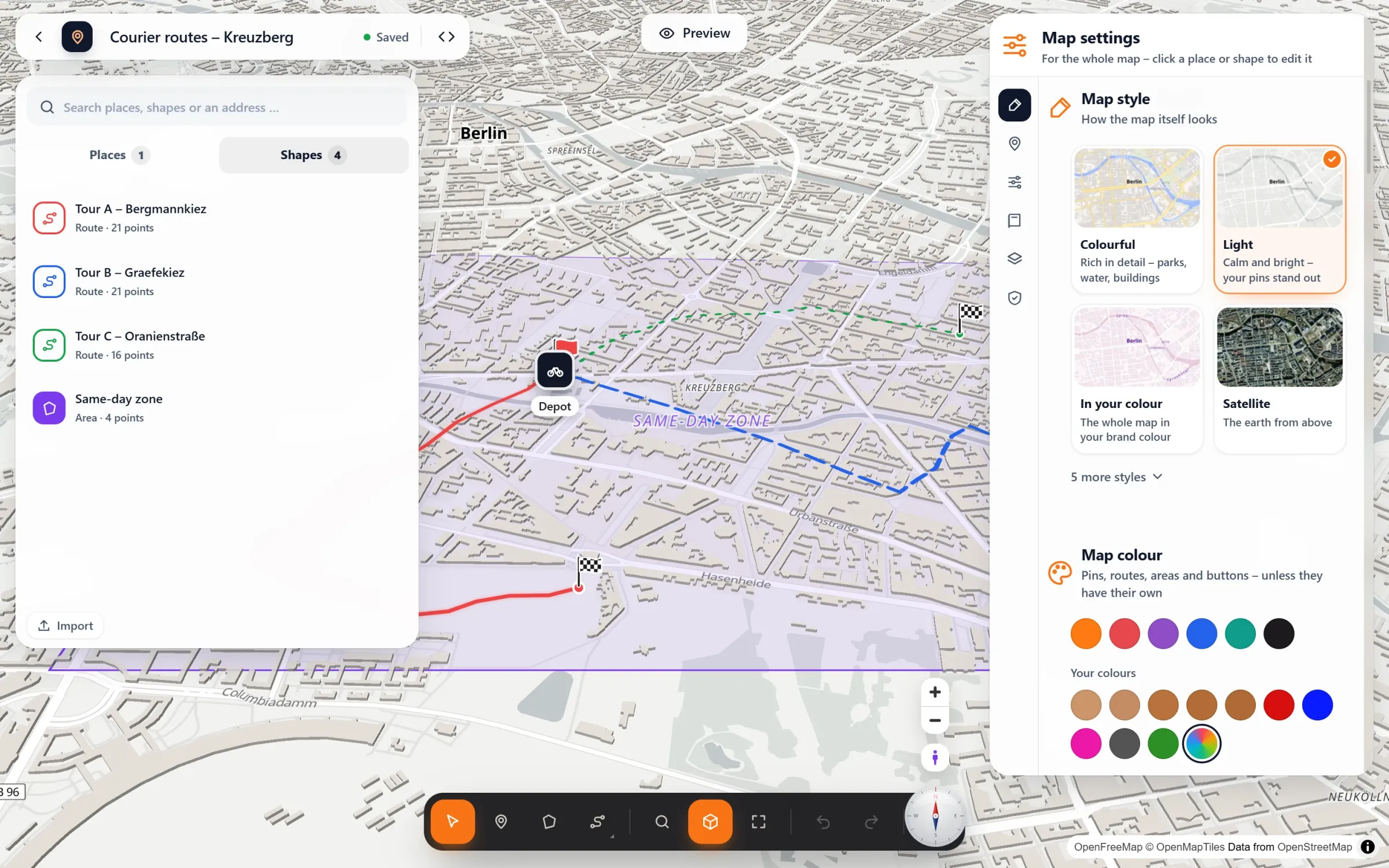
If your site runs on WordPress, you don’t have to wire this up. Map Studio, our free plugin, is built on the same open parts:
- Map: MapLibre GL JS with tiles from OpenFreeMap. Vector maps, sharp on every screen, with 3D buildings and six map styles in your brand colour.
- Address search in the editor: Photon by komoot, with suggestions while you type.
- Routes along real roads: ready without a key through the OpenStreetMap routing of FOSSGIS. If you prefer, add your own openrouteservice or GraphHopper key, or your own OSRM or Valhalla server.
- No account, no key, no billing. You install it, open Map Studio and start designing.
- Map Studio Pro can host the map data of your region on your own server, so visitors’ browsers ask no other server.
Frequently asked questions
Can I get a Google Maps API key without a billing account?
No. The Maps Platform APIs need a Google Cloud project with billing enabled, even within the free allowance. Only the simple embed (Share → Embed a map) works without a key.
Is OpenStreetMap really free for commercial websites?
The data is open (ODbL); you show the attribution “© OpenStreetMap contributors”, which Map Studio does automatically. The tile service has its own terms: OpenFreeMap is free and has no usage limits for normal websites.
My Google map says “For development purposes only”. What now?
That usually means the key has no billing account behind it, or the API isn’t enabled for it. Either fix the key in Google Cloud, or switch to a map that needs no key.
Does it work with Elementor and other builders?
Yes. Map Studio has a block, an Elementor widget and a shortcode for Divi, widgets and classic themes.
Maps without a key – free
Map Studio is on WordPress.org. After installing, open it and start designing. It works without an account or API key, and nothing is billed.