
Google Maps alternative for your website – no API key
Everyone knows Google Maps. On your own website, though, it comes with an API key tied to a credit card, a privacy question and little say over how it looks. Here are the alternatives, and how to switch in WordPress.
- The most widely used alternative to Google Maps is OpenStreetMap: a free map of the world, kept up to date by millions of volunteers.
- For your website you need a tile service (it serves the map images) and a tool that puts the map on your page.
- In WordPress, Map Studio does both for free: no API key, no account, nothing sent to Google.
Looking for a navigation app for your phone rather than a map for your website? Then OsmAnd, Organic Maps or Apple Maps are the names to look for. This guide is for website owners.
Why website owners look for an alternative
- API key and billing account: a Google map with your own markers needs the Maps JavaScript API, a key and a payment method on file. Beyond a certain number of map loads, you pay. More on that: Google Maps API alternatives.
- Privacy: loading the map sends data such as the IP address to Google. Under the GDPR, most sites in the EU ask for consent first. Visitors who decline see an empty box.
- Looks: the simple Google embed can hardly be styled, so it looks the same on every website.
- Dependence: a single provider sets the prices and the terms.
The alternatives at a glance
| Map data | What it is | For your website |
|---|---|---|
| OpenStreetMap | Open map of the world, free to use with attribution | The first choice: many tile services, well supported in WordPress |
| Mapbox (see Mapbox alternative) | Commercial map service built on OSM data | Good maps, but an account and a key are needed; paid beyond a certain usage |
| Apple Maps (MapKit JS) | Apple’s maps for websites | Needs an Apple Developer account and a key |
For a contact, store or event page, OpenStreetMap is almost always the simplest answer: no account, and with the right tile service no key and no cost.
OpenStreetMap: tile service and tool
OpenStreetMap provides the data. The map images (tiles) come from a tile service. Map Studio uses OpenFreeMap, which is free, needs no key and has no usage limits for normal websites. With Map Studio Pro you can also put the map data of your region on your own server, so no other server is asked at all.
Switching in WordPress with Map Studio
- Install: in WordPress, go to Plugins → Add New, search for “Devenzi Map Studio” and activate it. No account, no key.
- Bring your places: import Google My Maps as KML, a spreadsheet as CSV (addresses are found automatically), or simply type your addresses.
- Design: map style, your brand colour, icons, popups with photos and opening hours.
- Add it: with the block, the Elementor widget or a shortcode, then remove the old Google map.
- Privacy: without a consent tool, switch on load after click and use the ready-made text for your privacy policy.
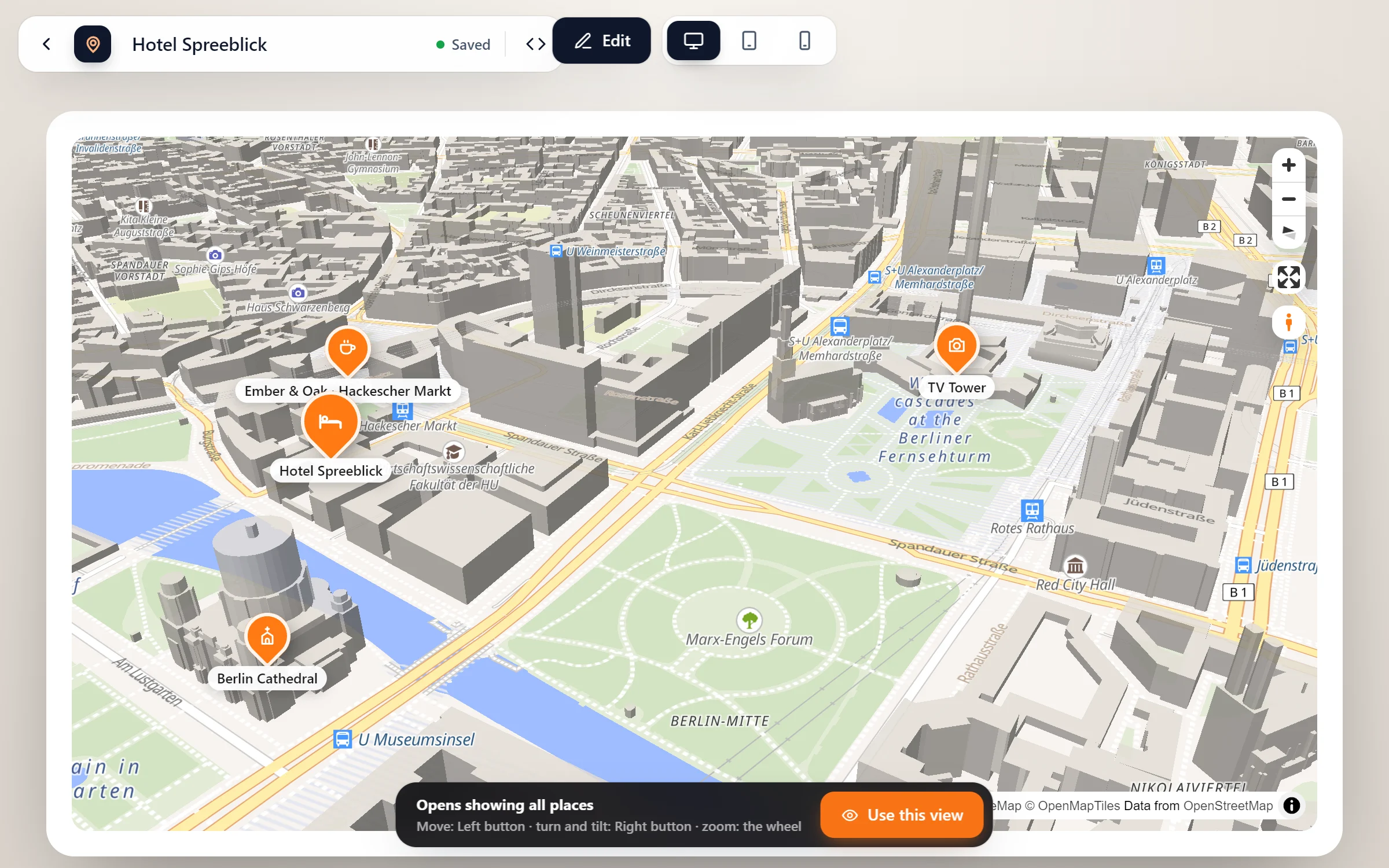
What you gain over Google Maps – and what you don’t
You gain: your own look, a map that shows 3D buildings when tilted, a list with search and “Near me”, areas and routes. All of it works without a key or a bill, and nothing is sent to Google.
You give up: Google’s reviews and photos of places, and Google’s Street View. Map Studio Pro has street-level imagery from Mapillary. The address search in the editor uses Photon by komoot. For directions, the map can link to OpenStreetMap.
Frequently asked questions
Is OpenStreetMap as accurate as Google Maps?
For roads, paths, buildings and house numbers, OpenStreetMap is very good in many countries and often more detailed than commercial maps. Google is ahead on businesses with reviews and opening hours. Your own places you add in Map Studio yourself anyway.
Does the alternative cost anything?
Map Studio is free, and so is OpenFreeMap. Pro is paid and adds, among other things, your own map data on your server, satellite imagery and street-level imagery.
Can I keep my Google Maps places?
Export your Google My Maps map as KML and import it into Map Studio, with points, lines and areas. A Google map that is only an iframe has no places of its own; just type the address again.
The alternative – free
Install Map Studio from WordPress.org and start designing. It needs no account and no API key.