
3D buildings
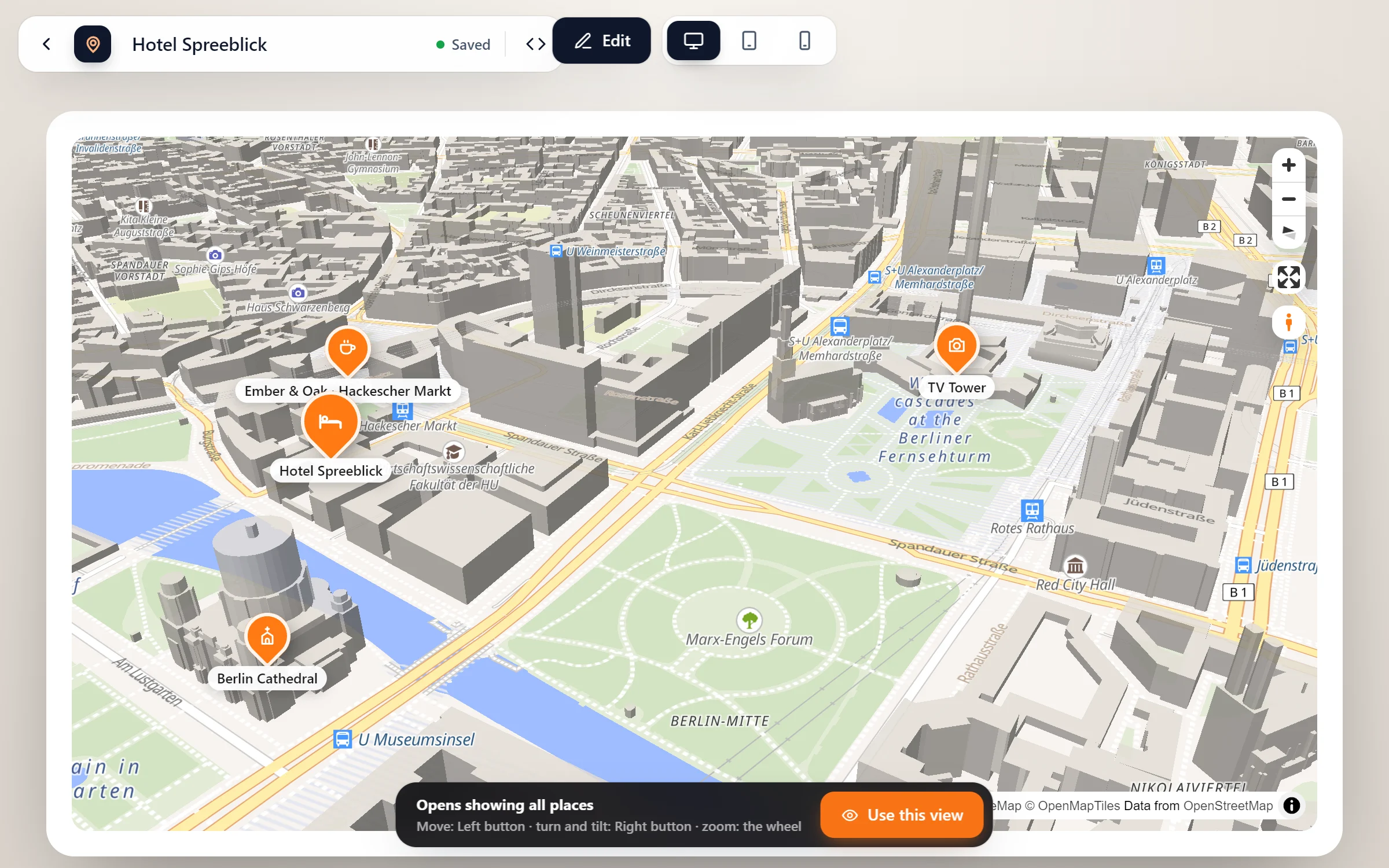
Switch on 3D buildings, tilt the map, and the city rises around your places all the way to the horizon. Visitors see at once what is next to what.
- Hotel Spreeblick: Burgstraße 21, 10178 Berlin
- TV Tower: 368 m tall – a short walk from the hotel.
- Berlin Cathedral: Across the river, on the Museum Island.
- Ember & Oak · Hackescher Markt: Neue Promenade 4, 10178 Berlin
Live: tilted at 60° over Mitte. Drag with the right mouse button (two fingers on a phone) to turn and tilt.
The street before they get there
Buildings that rise
Every building at its height from OpenStreetMap: the hotel by the river, the tower behind it, the square in front.
Far into the distance
The buildings don’t stop a few streets away. Tilted, the city goes on to the horizon.
Turn without waiting
While the map rests, it quietly loads what the other directions will show, so turning round is smooth.
In the map’s colours
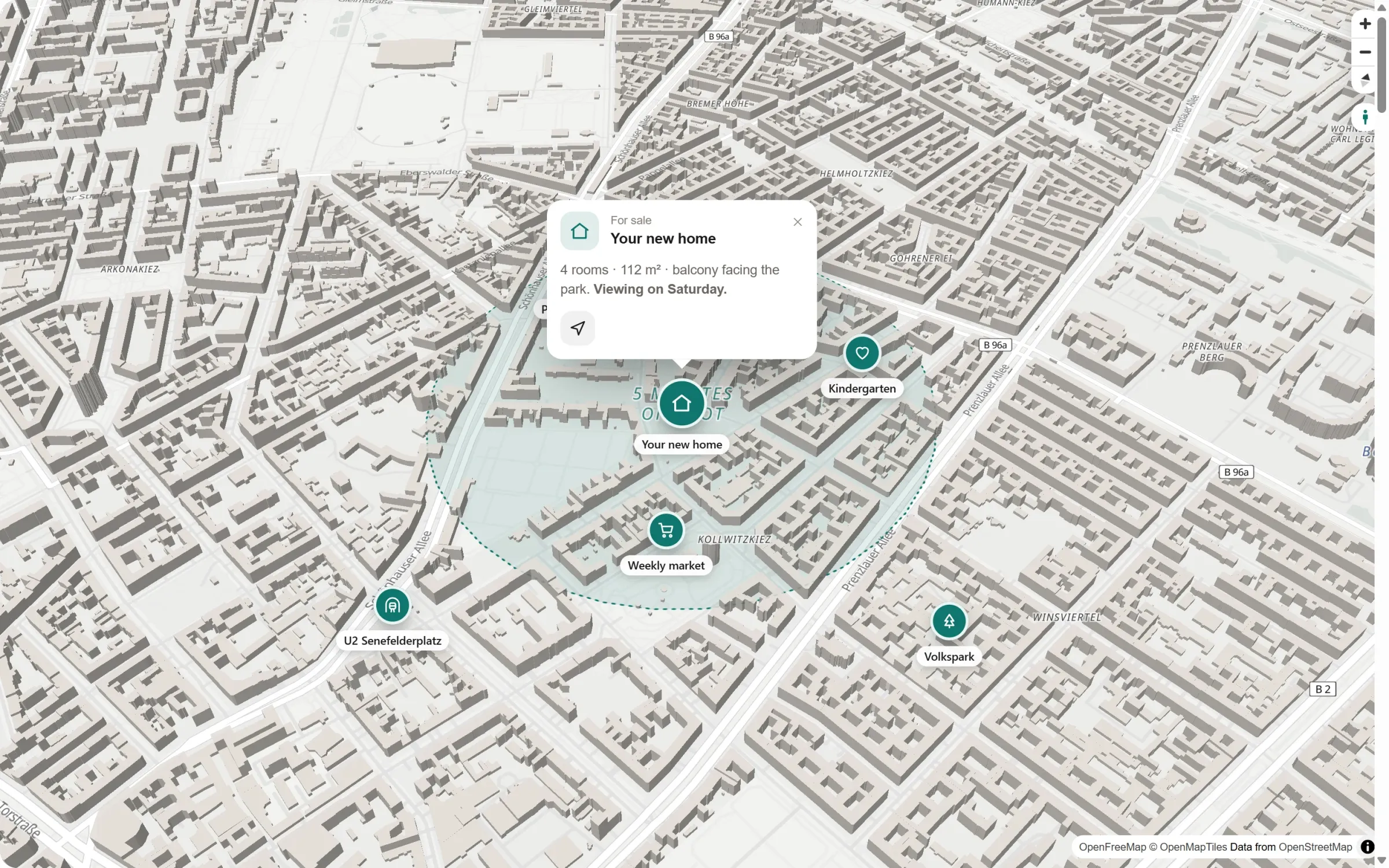
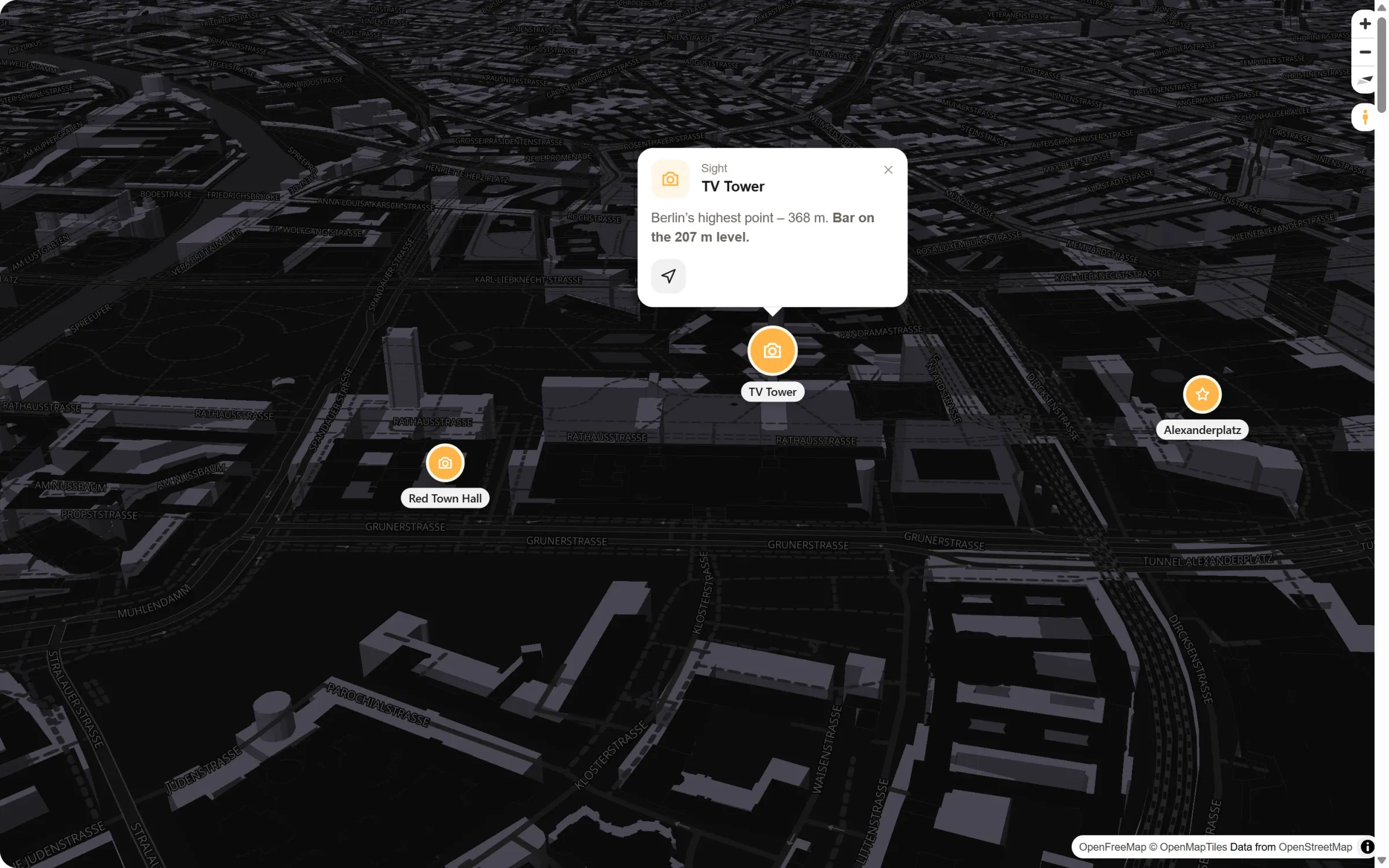
Warm grey by day and dark in the Night and Fjord styles. With “In your colour” they take a pale shade of your brand colour.
One switch, then find your angle
- Switch on 3D buildings. The cube in the tool bar at the bottom of the studio, or Map settings → Pins and labels → “3D buildings”. The map tilts and the city rises.
- Find the view. Press “Preview”, then turn and tilt the map (up to 65°) until it looks right.
- Keep it. Click “Use this view”, and the map opens exactly like that on your pages. Without your own view it opens tilted at 55°, with all your places in sight.
Light by day, dark by night
Questions people ask
Is it free?
Yes. 3D buildings are part of the free plugin, in every style, with no key and no account.
Where do the heights come from?
From OpenStreetMap, where many buildings carry their height or number of floors. A building without one stands 10 m tall.
Can the light fall like in the evening?
Yes, with light and sky: morning, evening, night or the sun as it stands right now. It falls on the 3D buildings from the sun’s direction, with a sky above the horizon.
And mountains?
For hills and mountains that rise as well, there is the Relief style in Map Studio Pro.
Who shows the city in 3D
- Hotels and holiday flats
- Estate agents and new builds
- Venues and event locations
- City guides and tours
- Offices and campuses
- Architects and planners
Free in Map Studio
Install the plugin, open Map Studio and start designing. You need no account and no API key.