
How to get a Google Maps API key – and when you don’t need one
Your theme or map plugin asks for a Google Maps API key. Here is how to create one step by step, how to restrict it and how to keep the costs under control. You will also find the ways to put a map on your website without any key at all.
- You create the key in the Google Cloud Console: project, billing account, enable the API, create the key, restrict it.
- The key itself is free and there is a free monthly allowance, but Google requires a payment method, and usage beyond the allowance is billed.
- You may not need a key at all: the simple Google embed and OpenStreetMap maps such as Map Studio for WordPress work without one.
Do you really need a key?
- One address on a contact page: no key needed. Use Google Maps → Share → Embed a map. See How to add a map to your website.
- A plugin or theme that uses the Google Maps JavaScript API (custom markers, store locator, styled maps): yes, it needs a key.
- A map with your own pins, without Google: no key. OpenStreetMap-based plugins work without one. See Google Maps API alternatives.
Step by step: create a Google Maps API key
Google changes its console from time to time, so menu names may differ slightly. The steps stay the same:
- Open the Google Cloud Console (console.cloud.google.com) and sign in with a Google account. Ideally use one that belongs to the business, not a private one.
- Create a project, for example “Website maps”.
- Set up billing: create a billing account with a payment method and link it to the project. Without billing, Google Maps shows “For development purposes only” over the map.
- Enable the APIs you need under APIs & Services → Library. For a map on a website that is usually the Maps JavaScript API; an address search may also need the Geocoding API or Places API. Check what your plugin asks for.
- Create the key: APIs & Services → Credentials → Create credentials → API key.
- Restrict the key (important): under application restrictions choose websites (HTTP referrers) and enter your domain, for example
https://example.com/*; under API restrictions allow only the APIs you enabled. - Keep costs under control: set a budget with alerts in the billing settings, and if you like, lower the daily quotas of the APIs.
- Paste the key into your plugin or theme settings and check the map on your site.
A key that a browser uses is visible in your page’s source code. That is normal, and it is exactly why the restriction to your domain in step 6 matters.
What does it cost?
Creating a key costs nothing, and Google includes a free monthly allowance for the Maps APIs. Beyond it, map loads and requests are billed per use. The amounts, the free allowance and how they are counted are set by Google and change from time to time, so look at the current pricing page of the Google Maps Platform before you rely on a number. A budget alert (step 7) protects you from surprises, for example if a page with a map suddenly gets a lot of visitors. To see what your own numbers would cost, use the Google Maps API cost calculator.
Common problems
- “For development purposes only” over a dark map: no billing account is linked, or the API is not enabled for the key.
- “This page can’t load Google Maps correctly”: the key is missing, wrong, or its referrer restriction doesn’t match your domain (check
wwwandhttps). - The map works locally but not online (or the other way round): add both addresses to the referrer list.
The way without a key
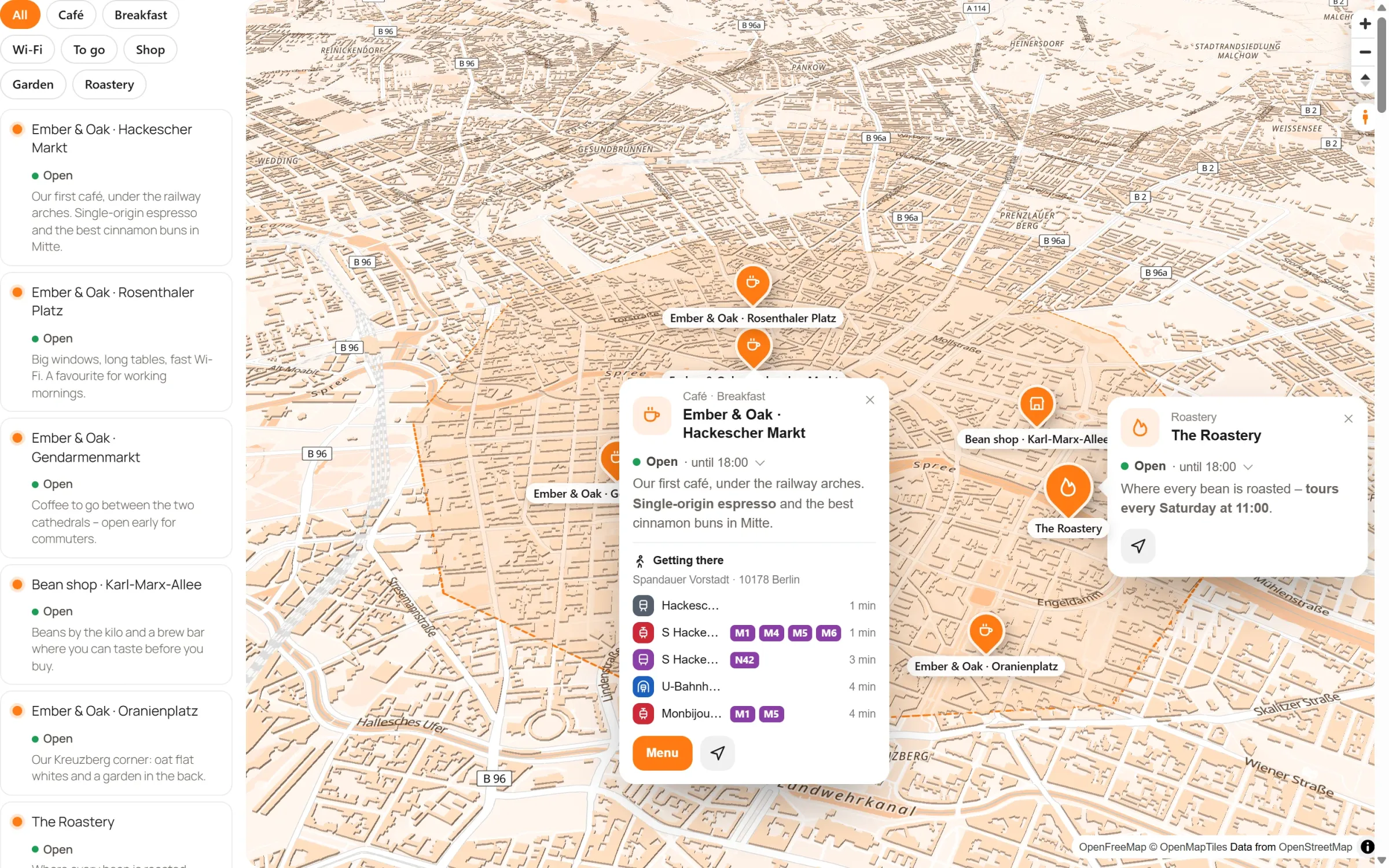
If all of this feels like a lot for a map, there is another way. Map Studio, our free WordPress plugin, uses OpenStreetMap maps through OpenFreeMap: no Google account, no API key, no billing account.
- Your own places with icons, popups, photos and opening hours, a store locator with search and “Near me”.
- Areas and routes along real roads, also without a key.
- Six map styles in your brand colour, 3D buildings.
- Nothing sent to Google, and an optional load after click for privacy.
Frequently asked questions
Is the Google Maps API key free?
Creating the key is free, and Google includes a free monthly allowance. You still need a billing account with a payment method, and usage beyond the allowance is billed.
Can I get a key without a credit card?
No. The Maps Platform APIs only work with a billing account. Only the simple embed (Share → Embed a map) works without a key. Maps without Google, such as Map Studio, need neither a key nor a card.
Is it safe that the key is visible in my page’s source?
For a browser key, yes, as long as it is restricted to your domain and to the APIs you use. Without restrictions, others could use your key at your cost.
Can I use one key for several websites?
Technically yes, by adding each domain to the referrer list. For clear costs and fewer surprises, one key per website or client is easier to manage.
Maps without an API key – free
Map Studio is on WordPress.org. Install it and start designing your map straight away, without an account or a key, and without billing.