
Areas
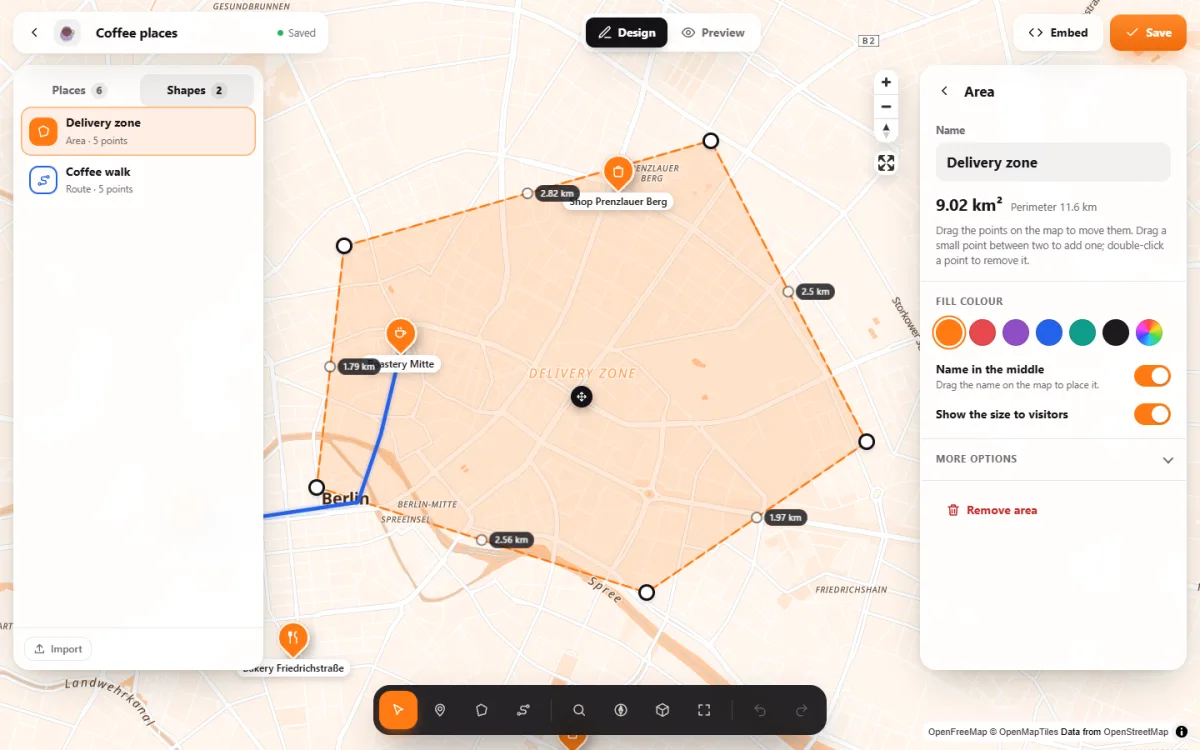
Click the corners on the map and your delivery zone appears in your colour, with its name in the middle. Visitors click it to see how big it is.
- Ember & Oak Bakehouse: Prinzenstraße 85, 10969 Berlin
Live: this is the plugin itself, not a picture. Click a zone to see its name, size and perimeter.
A zone anyone understands at a glance
Drawn by clicking
Click corner after corner, then “Done”. Later you drag a point, add one in between or remove one with a double-click.
Its size, measured
The studio shows the size and perimeter while you draw, in m², hectares or km². Once you switch it on, visitors see it with one click.
The name in the middle
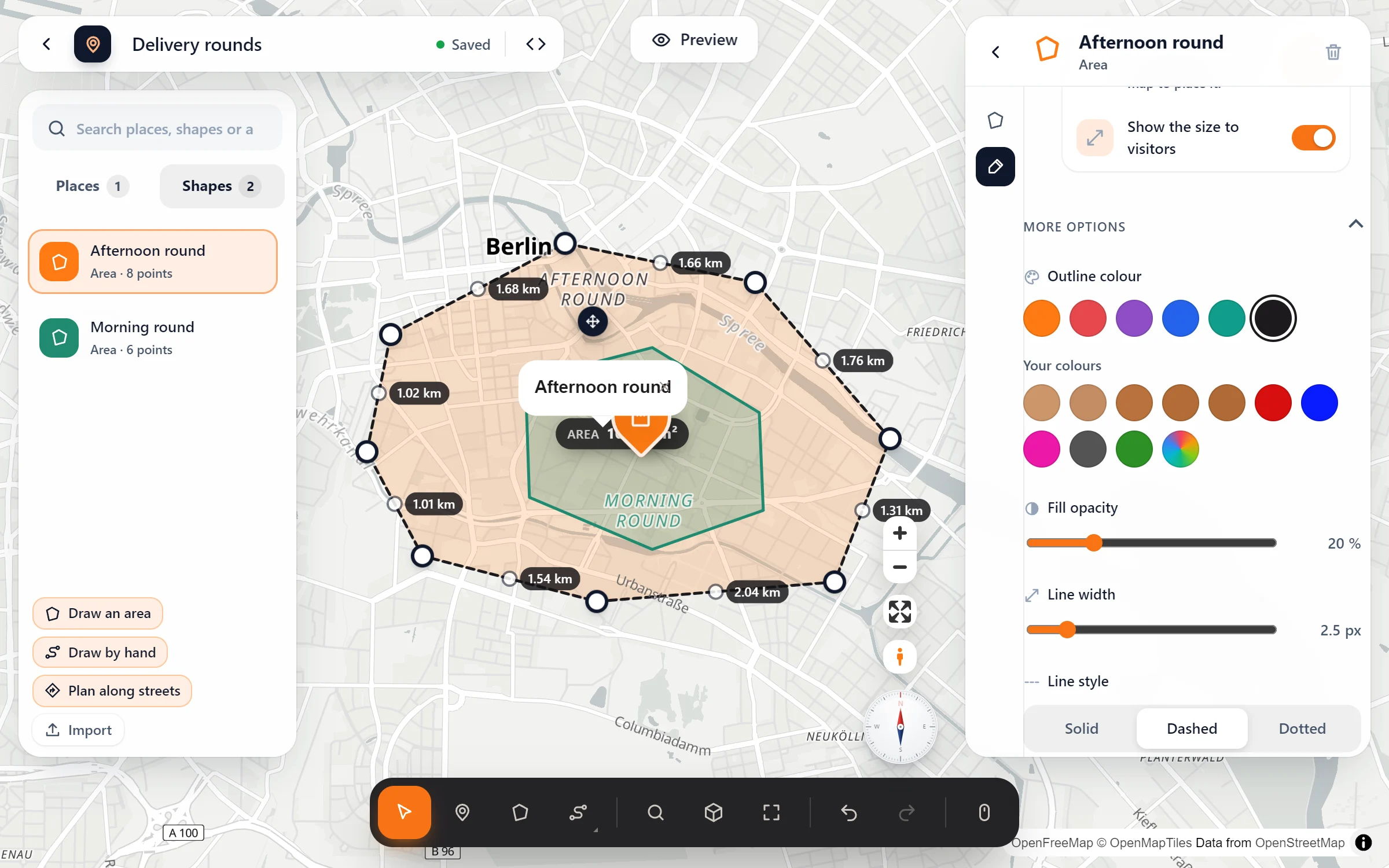
“Morning round” written right across the zone. Drag the name to where it reads best.
Your colours
Fill and outline colour, transparency, line width and a solid, dashed or dotted line. Set them for each area on its own, or give every area your brand colour.
Three steps, drawn right on the map
- Draw the area. Pick “Draw an area” in the toolbar and click its corners on the map. Or start with the “Delivery area” template, which has everything ready for it.
- Name it. Type the name in the area’s panel, e.g. “Delivery area”. The size and perimeter are already there.
- Choose what visitors see. Switch on “Name in the middle” and “Show the size to visitors”, pick a fill colour, then put the map on your page.
Each area in its own colours
Questions people ask
What do visitors see when they click a zone?
Its name. If you switched on “Show the size to visitors”, they also get its size and perimeter: “2.64 km² · perimeter 6.17 km” for the morning round above. Nothing else gets in the way of the map.
I already have my zones in Google My Maps. Do I draw them again?
No. Import them as KML from Google My Maps, or as GeoJSON. Areas and routes come along with your places.
Can one map show several zones?
Yes, as many as you like, each with its own colour and line style. Where zones overlap, the smaller one lies on top of the larger one, as in the map above. Add a route or your places too.
Is it free?
Yes. Areas with their size, name and colours are part of the free plugin.
In our guides: delivery area map · event maps for festivals and fairs
Who draws areas
- Pizzerias, bakeries and caterers with a delivery zone
- Craftspeople and services showing where they come
- Estate agents and builders marking plots
- Clubs and parishes with their districts
- Event sites with parking and camping fields
- Tourism offices showing a region
Free in Map Studio
Install the plugin, open Map Studio and start designing. You need no account and no API key.