
Delivery area map for your website
“Do you deliver to us?” A map with your delivery zones answers that before anyone calls. This guide shows how to draw delivery or service areas on a real map and put them on your website. It works for restaurants, bakeries, couriers, florists and trades.
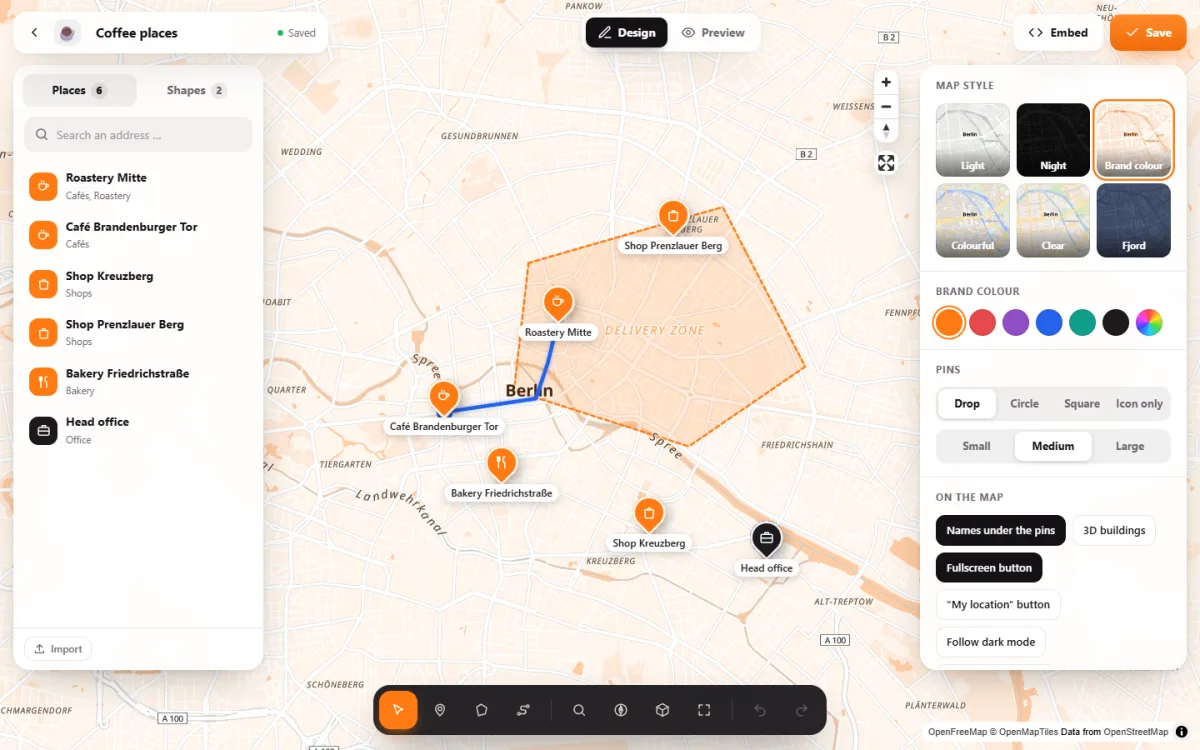
- Draw your delivery zone as an area on the map and give it a name and a colour. Its size can be shown too, if you like.
- Several zones are fine: “free delivery”, “small fee”, “morning round”, “afternoon round”.
- In WordPress, Map Studio does this for free with a “delivery area” template, without Google and without an API key.
What a good delivery map shows
- The zone itself, clearly outlined and filled, so streets inside stay readable.
- A name on the zone, such as “Free delivery by bike”.
- Your shop or kitchen as a place, with opening hours.
- Several zones in different colours if fees or times differ.
- Recognisable streets and districts, so visitors find their own street quickly.
Step by step with Map Studio
- Install: in WordPress, go to Plugins → Add New, search for “Devenzi Map Studio” and activate it. There is no account to create and no key to enter.
- Start from the template: Map Studio → New map → delivery area.
- Draw the zone: click “Draw an area” and set its corners right on the map. You can move any point later.
- Style it: set the fill and outline colour, opacity and line width, and choose solid, dashed or dotted lines. Put the name in the middle of the zone.
- Show the size if you like: each area can show its size and perimeter to visitors.
- Add your shop as a place with its opening hours, and more zones if you need them.
- Add the map to your page with the block, the Elementor widget or a shortcode.
Good to know
Map Studio shows the zone; it does not check addresses against it. Visitors look for their street on the map. For automatic address checks at checkout, look for a delivery plugin for your shop system and use the map to show the zone.
Ideas
- Restaurants and bakeries: zones by delivery fee or minimum order.
- Couriers and bike delivery: same-day zone, rounds by time of day.
- Trades and services: the service area of a plumber, gardener or mobile hairdresser.
- Clubs and schools: catchment areas or collection points.
Frequently asked questions
Is it free?
Yes. Areas, labels, sizes, colours and the template are in the free version of Map Studio on WordPress.org.
Can I draw a zone along streets?
You set the corners where you like, for example along main roads or a river. For a delivery round as a line along real streets, use a route.
Can I import a zone I already have?
Yes. Areas come along from KML (Google My Maps, Google Earth) and GeoJSON. See Google My Maps alternative.
Does it need Google or an API key?
No. The map is OpenStreetMap through OpenFreeMap; nothing goes to Google.
Your delivery map – free
Map Studio on WordPress.org: install, pick the delivery area template, draw your zone.