
Templates
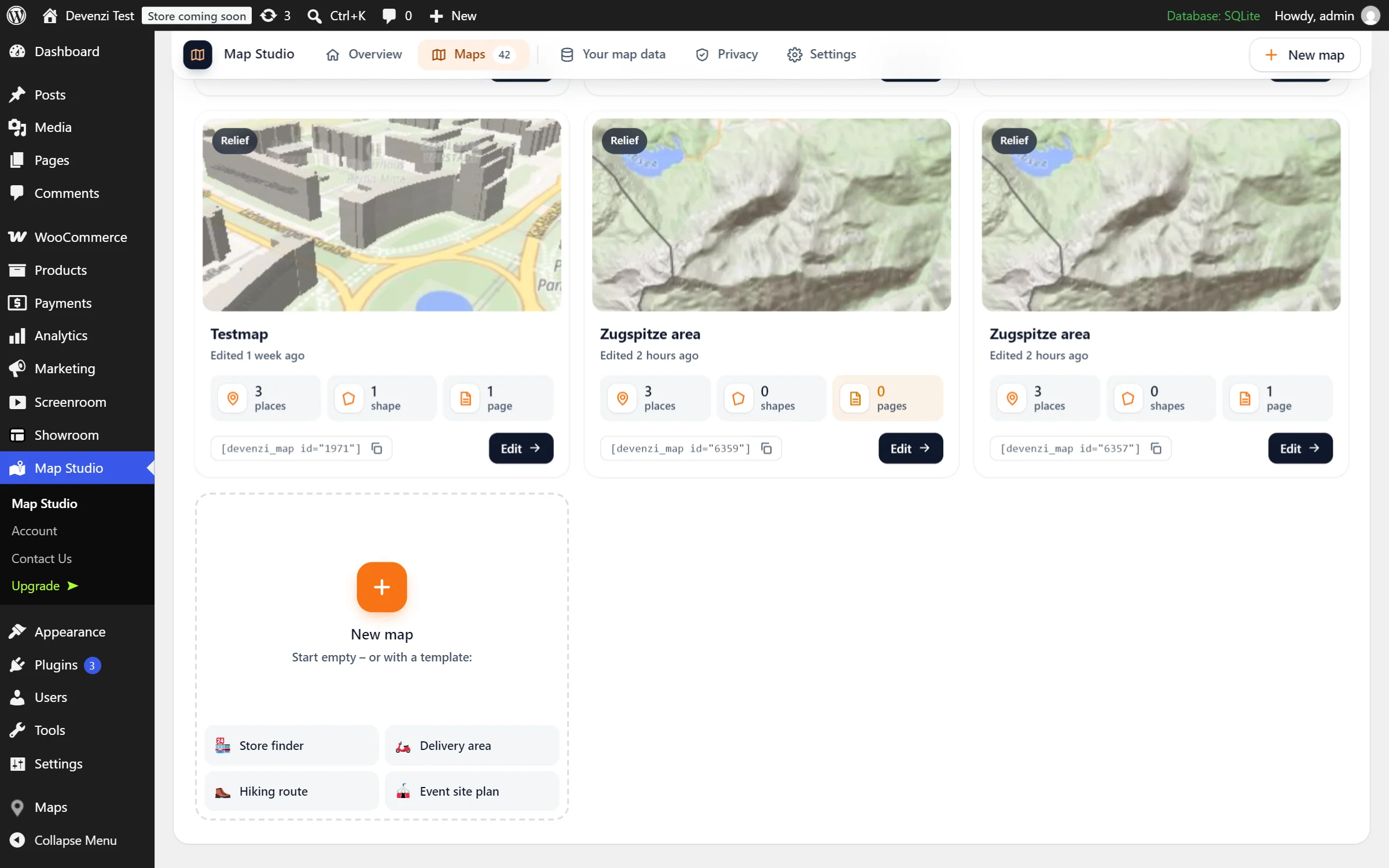
Four ways to start that are not an empty map. A template sets the style and settings that suit the job and puts the right tool in your hand. You add what is yours.
- Ember & Oak Bakehouse: Prinzenstraße 85, 10969 Berlin
Live: the “Delivery area” template, filled in: one bakery and the area it delivers to, in the brand colour, with its name and size in the middle.
Pick the job, not the settings
Store finder
Many locations: a list beside the map with “Near me”, nearby pins grouped into bubbles and the calm light style. More in Store finder.
Delivery area
The map in your colour, and the area tool in hand: click the corners, and the area shows its name and size.
Hiking route
The colourful style and the route tool: click the points of your route. Start, finish and its length come along with it.
Event site plan
For entrances, stages and stands: the clear style, square pins with their names and a list below the map.
Choose one, then make it yours
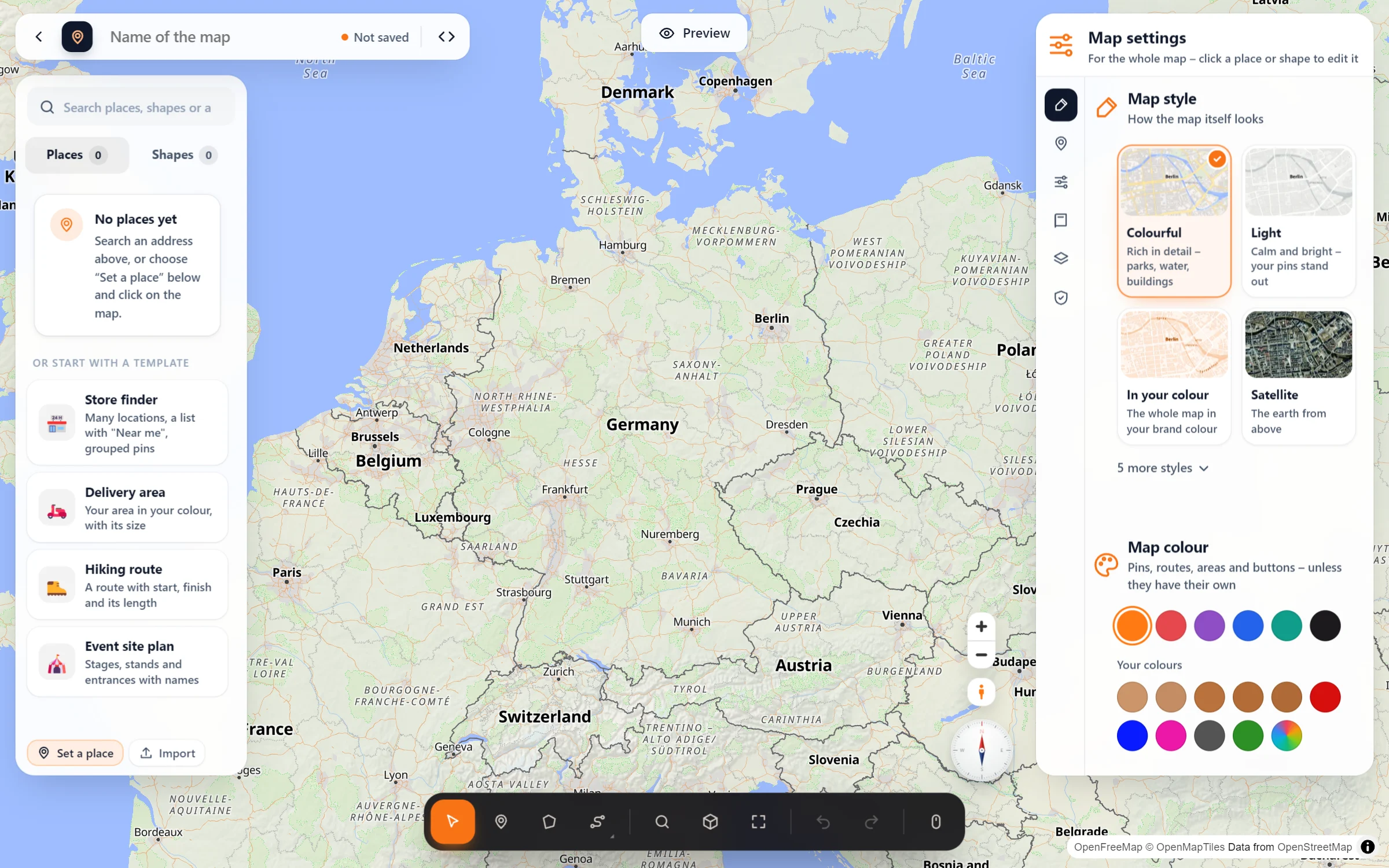
- Pick a template. Map Studio → Maps → “New map”, the Overview, or a new, empty map in the studio: “Or start with a template”.
- Follow the hint. The studio sets the look and tells you what comes next: “Click the corners of your delivery area on the map.” For an area or a route, search your town first, and the map flies there.
- Change anything. A template is a start, not a cage: style, colour, pins and the list stay yours to change in Map settings.
Questions people ask
Does a template fill in example places?
No. It sets the look and the settings and hands you the right tool. The places, areas and routes come from you. Have a list already? Import it.
Can I set my own starting point?
Yes. Map Studio → Settings → “Look of your maps”: the style, colour, pins and controls your maps start with, with a live preview.
Can I use templates from the block editor?
Yes. As long as you have no map yet, the “Map Studio” block offers the same four templates and opens the studio right over your post.
Is it free?
Yes. All four templates are part of the free plugin.
Which template for what
- Shops and branches: Store finder
- Bakeries, pizzerias and florists that deliver: Delivery area
- Hiking, running and cycling tours: Hiking route
- Festivals, markets and fairs: Event site plan
- Campuses and holiday parks: Event site plan
- Service areas of trades and care services: Delivery area
Free in Map Studio
Install the plugin, open Map Studio and start designing. You need no account and no API key.