
How to add a map to your website
A map on your contact page, your store locations, a delivery area or a walking route: these are the ways to put a map on a website, from a two-minute Google embed to a styled map with your own pins. For each one you’ll see what it can do and what it can’t.
- One address, fast: Google Maps → Share → Embed a map → copy the HTML. Free, no API key.
- Several places: Google My Maps as an iframe, or a map plugin with a list and search.
- Your own look, no Google: an OpenStreetMap-based map. In WordPress, Map Studio does it for free, without an API key.
Option 1: Embed Google Maps (one address)
- Open Google Maps and search for your address or business.
- Click Share, then the tab Embed a map.
- Choose a size and click Copy HTML.
- Paste the code where your site accepts HTML: in WordPress a Custom HTML block, in other builders an “Embed” or “HTML” element.
The code is an <iframe>. Tip: change width="600" to width="100%" so the map fills its column on phones.
- Good: it costs nothing, needs no API key and takes two minutes.
- Limits: one place in Google’s look, without a list or popups of your own.
- Privacy: the map loads from Google as soon as the page opens, and the visitor’s IP address goes to Google. In the EU, most sites ask for consent first, for example with a load-after-click placeholder. See Google Maps and the GDPR.
Option 2: Several places with Google My Maps
Google My Maps lets you set several pins, lines and areas and embed the result as an iframe (menu → Embed on my site; the map must be shared publicly first).
- Good: free and simple to use, with several places on one map.
- Limits: you need a Google account and have very little control over the look. Visitors get no search or “near me”, and the privacy question is the same as above.
Option 3: OpenStreetMap embed
On openstreetmap.org, find the spot, click Share and copy the HTML. It works like the Google embed, but without Google.
- Good: free, and it works without an account and without Google.
- Limits: only one marker, and it cannot be styled. The openstreetmap.org tile servers run on donations, and their usage policy limits heavy use by other websites.
Option 4: A map plugin (WordPress)
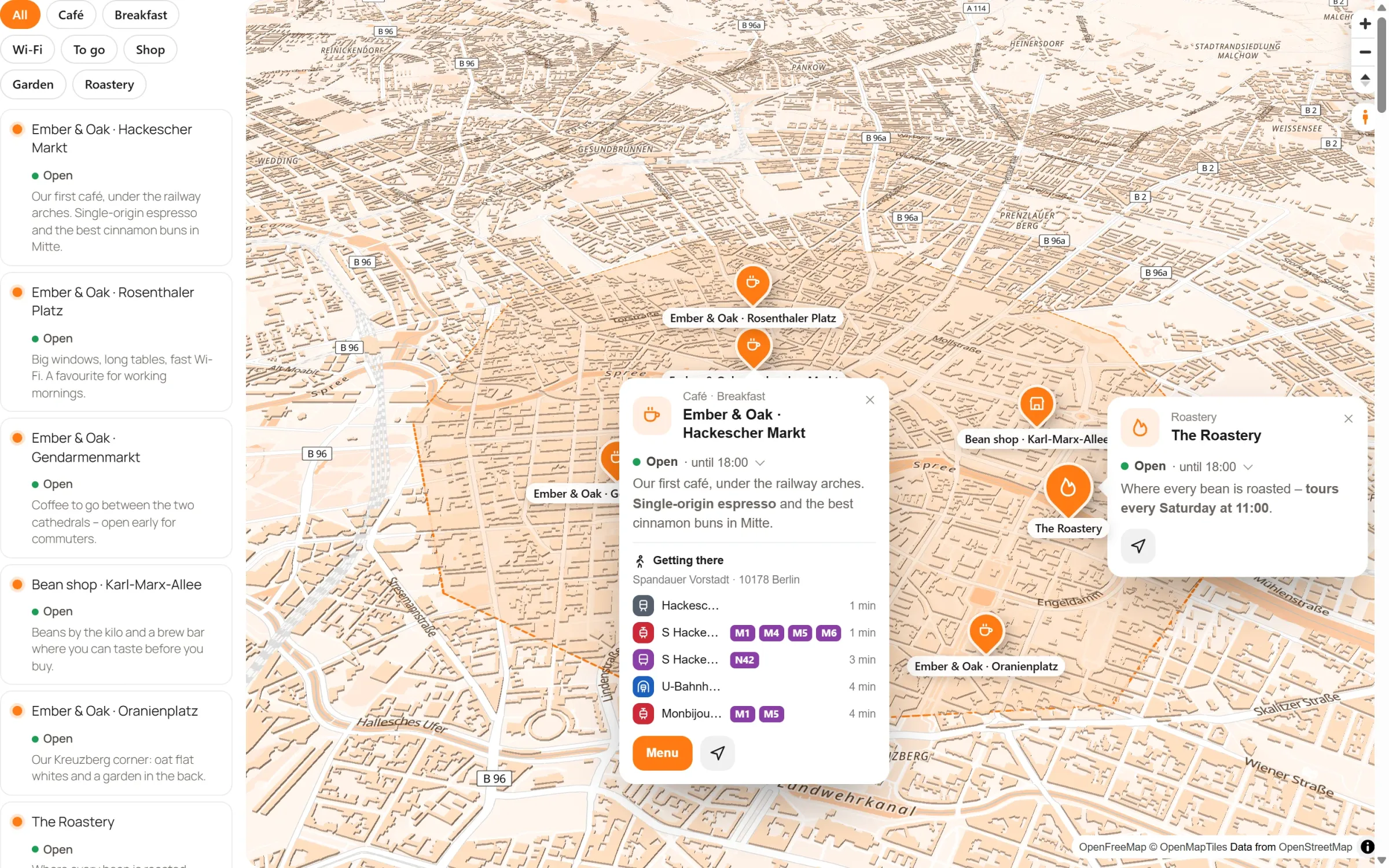
If your site runs on WordPress, a map plugin gives you a map that belongs to your site: your places, your colours, a list with search, and privacy options. Map Studio is ours. It is free, needs no API key and no account, and you design the map right on the map:
- In WordPress, go to Plugins → Add New, search for “Devenzi Map Studio” and activate it.
- Map Studio → New map. Start empty or from a template (store finder, delivery area, hiking route, event site plan).
- Type addresses, click on the map, or import a spreadsheet (CSV), Google My Maps (KML) or GeoJSON.
- Pick icons, colours and popups with text, photos and opening hours. Draw areas and routes along real roads.
- Add it with the Map Studio block, the Elementor widget or a shortcode.
Which option fits?
| Google embed | Google My Maps | OSM embed | Map Studio (WordPress) | |
|---|---|---|---|---|
| Cost | free | free | free | free (Pro optional) |
| API key | no | no | no | no |
| Several places | no | yes | no | yes, with list and search |
| Your own look | no | barely | no | map styles, brand colour, 3D |
| Data to Google | yes | yes | no | no |
| Load after consent | build it yourself | build it yourself | build it yourself | built in |
Frequently asked questions
Do I need an API key to embed Google Maps?
Not for the simple embed from Share → Embed a map. For a Google map with your own markers and styling you need the Maps JavaScript API, an API key and a billing account. More on that: Google Maps API alternatives.
How do I show several locations on one map?
With Google My Maps as an iframe, or with a map plugin. In WordPress, Map Studio shows any number of places with icons and popups, groups pins that are close together, and adds a list with search, category filter and “Near me”. See the store finder.
The map is too small on phones. What can I do?
Set the iframe’s width to 100%. Map Studio maps adapt to the width by themselves; you set the height per map.
Does a map slow down my page?
An iframe loads right away. Add loading="lazy" to it so it waits until it scrolls into view. Map Studio waits for that by itself, and can even wait for a click.
A map that belongs to your site – free
Map Studio on WordPress.org: install, open, design. No account, no API key.