
Places from the map
The map already knows the station around the corner, the bakery and the museum. Click one, and it becomes your place, with its name, a fitting icon and its kind as category. No address to type.
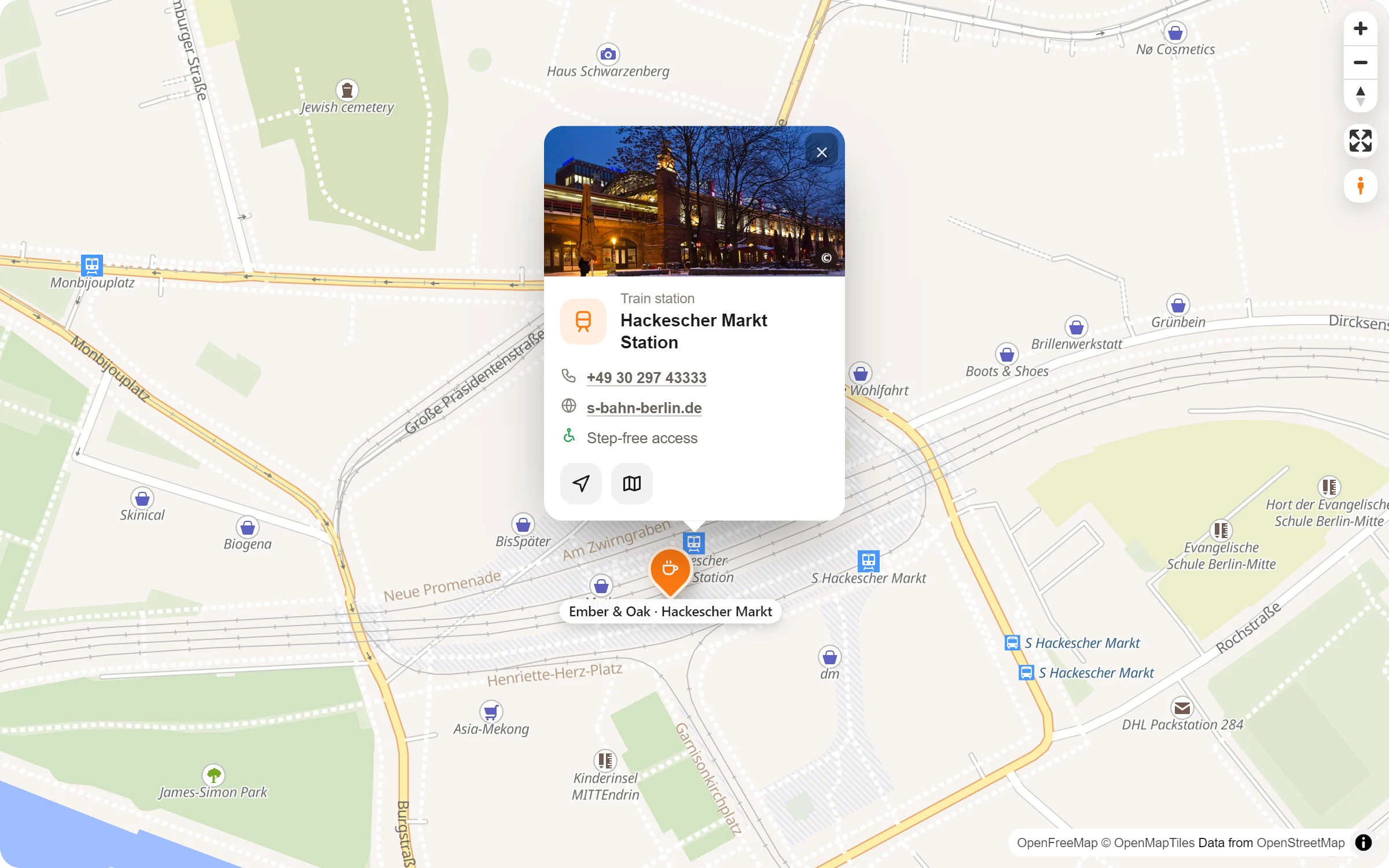
The map’s places become yours
Click, and it’s yours
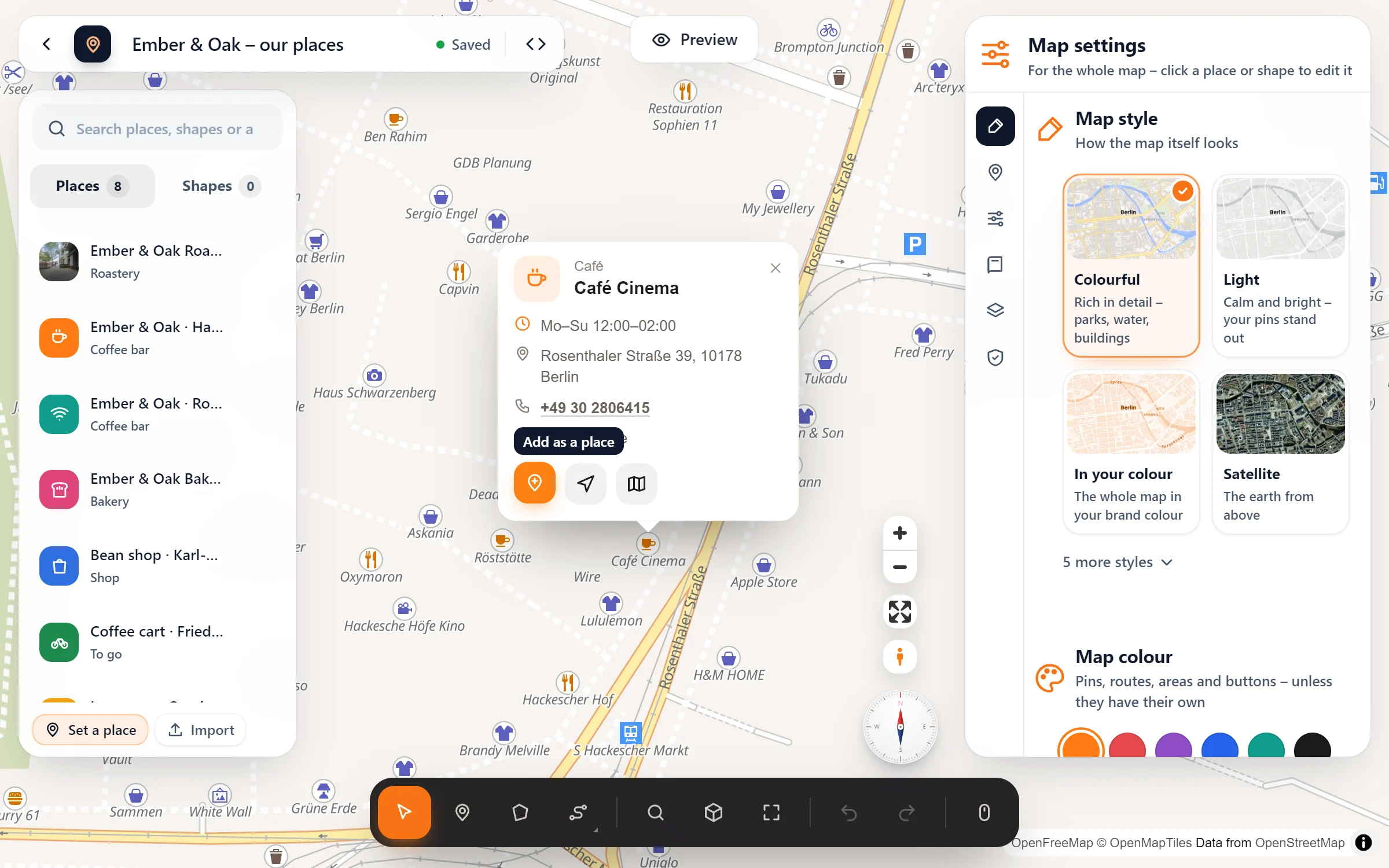
In the studio, a click on a station, shop or café opens its popup with the button “Add as a place”.
Icon and kind included
The café gets the cup, the station the train, the U-Bahn the underground. Its category becomes “Café” or “Train station”.
Visitors can click them too
On your site, the map’s own places show their name and kind, and “Get directions” if you switched it on.
Only what helps
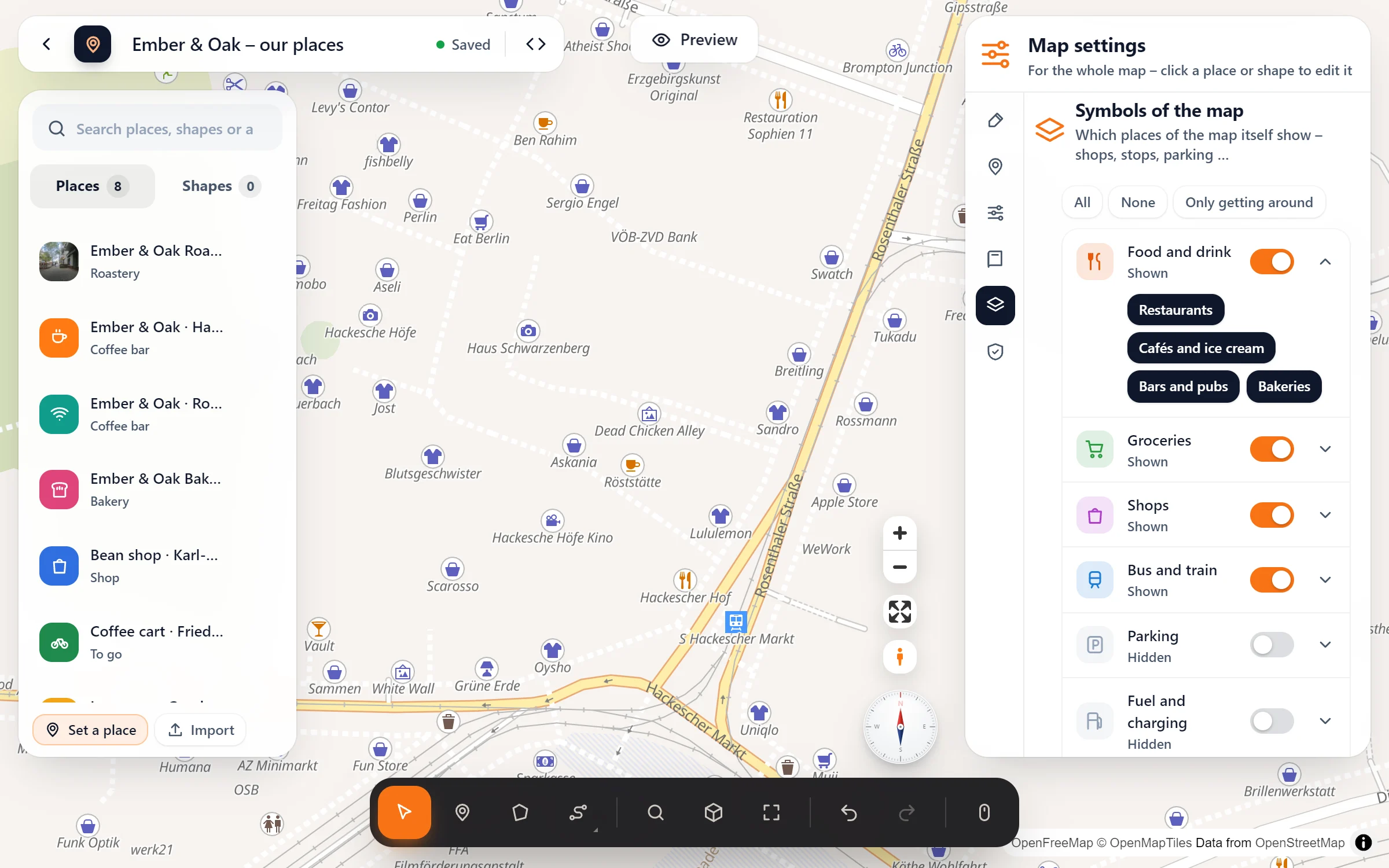
Choose which of the map’s symbols show (food, shops, bus and train, parking …) so your own pins stand out.
No address to type
- Zoom in and click. With the Move tool on (the arrow in the tool bar), click a station, shop or café of the map.
- Press “Add as a place”. It arrives named, with a fitting icon and its kind as category, ready for the list and its filter.
- Make it yours. Add text, photos and opening hours in its panel. Not on the map? Type its name or address in the search on the left.
Questions people ask
Which places can I click?
The symbols the map itself shows: stations and stops, cafés, restaurants, shops, museums, parks and more. What they are and what they are called comes from OpenStreetMap.
Can I hide some of them?
Yes. Map settings → Symbols of the map: switch groups on or off, or open one to choose finer. “Only getting around” keeps just bus and train, parking and fuel.
What do visitors see when they click one?
Its icon, its kind and its name, and the “Get directions” button. Map Studio Pro adds opening hours, phone and website from OpenStreetMap to these popups.
Is it free?
Yes. Clicking the map’s places, adding them and choosing which symbols show are all part of the free plugin, like everything in the studio.
Who maps places that already exist
- Hotels pointing out what is nearby
- Holiday homes with a “around us” map
- City guides and tourism offices
- Event pages with stations and parking
- Schools and clubs showing the way in
- Agencies building maps for clients
Free in Map Studio
Install the plugin, open Map Studio and start designing. You need no account and no API key.