
Street View & 360°
A little figure waits among the map’s buttons. Visitors drag it onto a street and stand right there. They look around, walk on and see your places in the picture, as if they were part of the street.
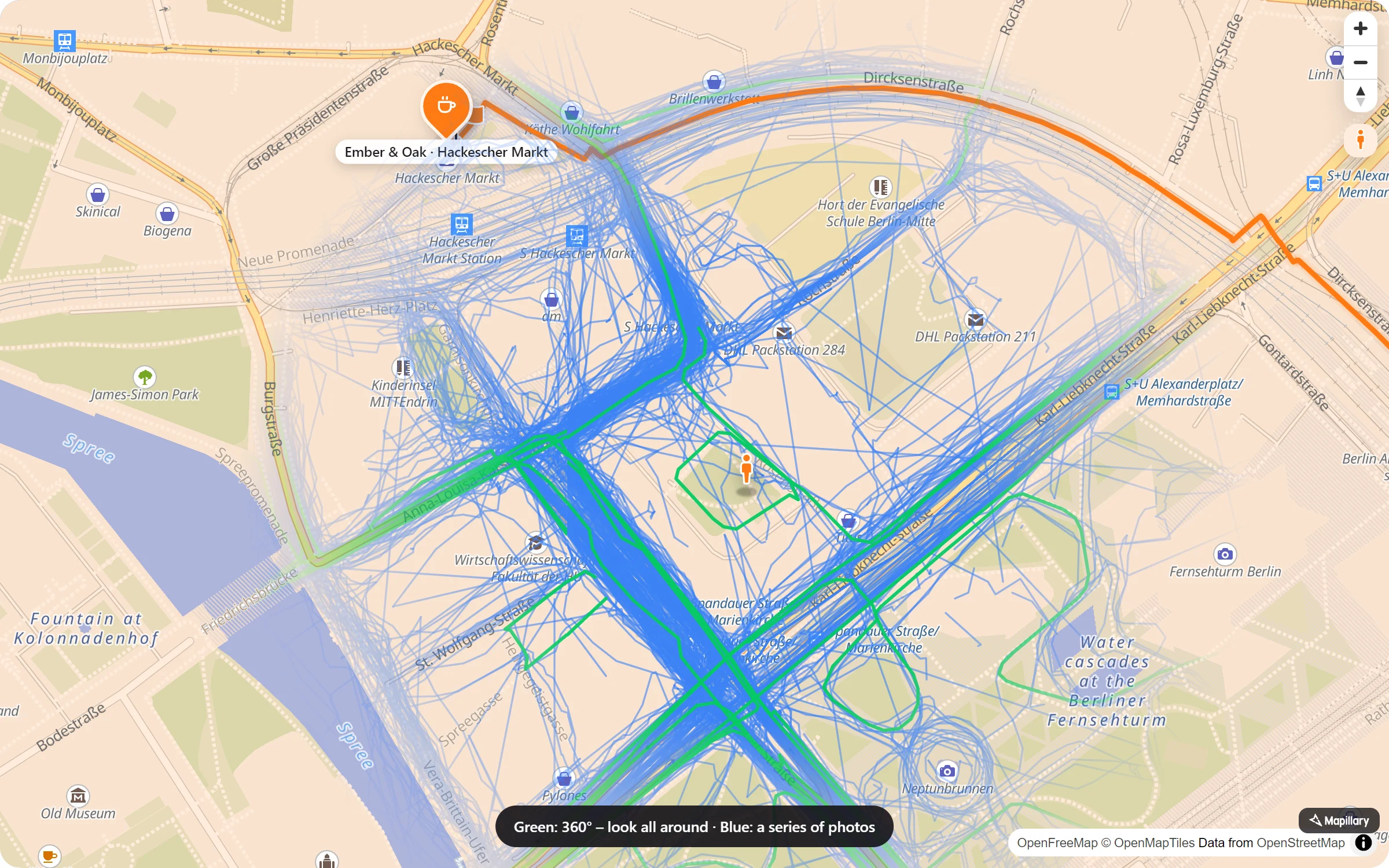
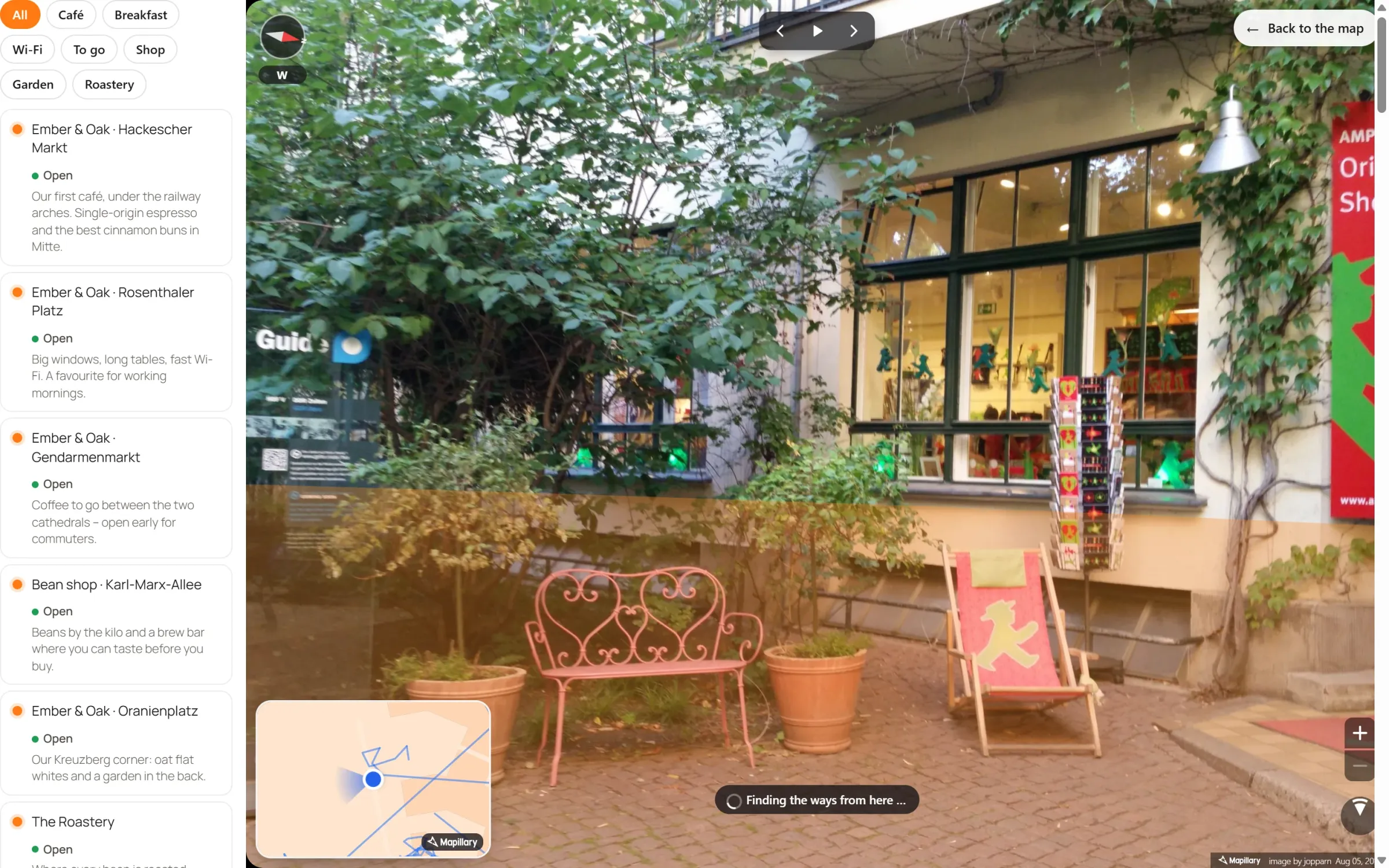
Stand in the street, right on your page
Drag the figure
Onto any street with photos. Or click the figure first, then the map. The panorama opens right there, over the map.
Walk on
Click the road to take a step, or play the photo series and let it walk. At crossings it keeps straight on, or visitors stop and choose.
Your places inside
Your pins stand in the street where they are, with their name. Click one for its popup. Routes and areas are painted on the ground.
From a place’s popup
Give a place a Street View button, and visitors see its door from the street – from the angle or photo you chose.
One key, and the streets open
- Choose your street photos. With Map Studio Pro, go to Map Studio → Settings → Services with your own key: add a Mapillary token for Mapillary’s open street photos, or a Google key for Google Street View.
- The figure is there. Every map gets it among its buttons; switch it off per map under Map settings → Behaviour → Street View figure.
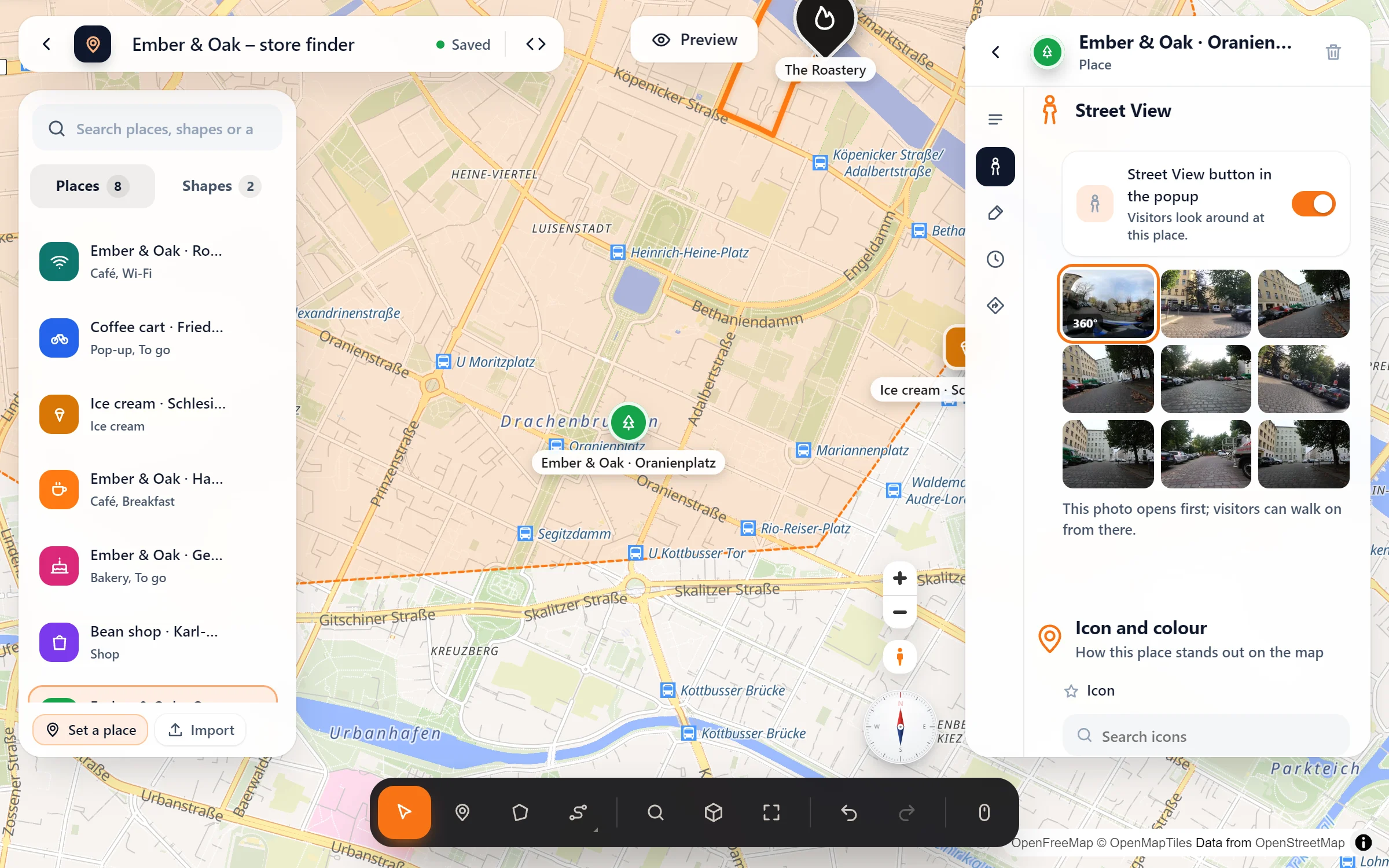
- Give places their view. Click a place → Street View → “Street View button in the popup”. With Google, turn the view with the sliders; with Mapillary, pick the photo that opens first.
Questions people ask
Mapillary or Google?
Google has the most streets; its Maps Embed API costs nothing, but Google asks for a payment method when you create the key. With a Google key the figure opens Google Street View. Mapillary’s photos are open and taken by people all over the world. With Mapillary, visitors walk on with the small map and the compass and see your places, routes and areas inside the panorama.
What about privacy?
Nothing is asked from Google or Mapillary until a visitor picks up the figure or presses a Street View button. The privacy page in the admin lists the service, and the suggested text for your privacy policy covers it. Even with your own map data, Street View still comes from its service, but only when someone opens it.
What if a street has no photos?
While visitors carry the figure, the streets with photos light up, so they see where to drop it. If they drop it elsewhere, the map says so and suggests a street with a green line.
Can a popup show a 360° view straight away?
Yes. A place’s 360° photo can sit at the top of its popup. Visitors look around right there, facing the place. And a ride along a route can end in the Street View of the place at its finish.
Who lets visitors look around
- Hotels and holiday flats
- Restaurants, cafés and shops
- Estate agents
- City guides and tourism offices
- Event venues with a hidden entrance
- Practices in a busy street
Part of Map Studio Pro
Pro adds it to the plugin you already have. Everything in the free version stays free and complete.