
Story maps
Your places become the chapters of a story. While visitors read and scroll, the map stays in view, flies to each place with the view you chose – and your routes draw themselves along.
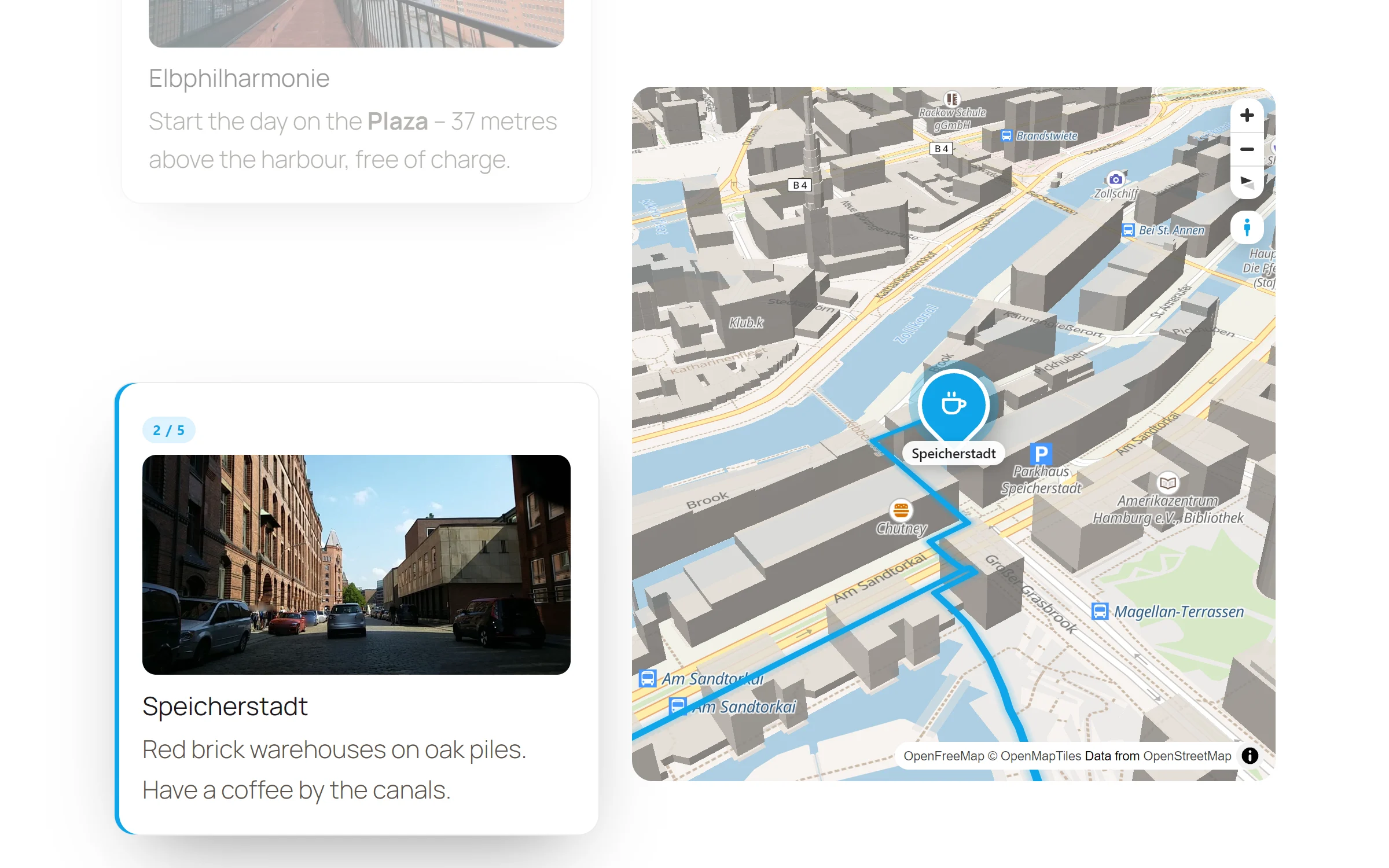
For a feel of it, scroll through the tour on the Map Studio page. It works on the same idea: every chapter changes the map.
A story they scroll through
Chapters next to the map
Each place is a card with its number, photo, title and text. The map stays in view while the cards scroll by.
The map flies along
When a chapter comes up, the map flies to its place, and its pin stands out from the others.
Routes draw themselves
A route on the map grows with the reader. It goes exactly as far as they have scrolled, and never backwards.
Your view per chapter
Close and tilted over the old town, wide over the harbour: zoom, tilt and direction are yours to set for every chapter.
Three steps from places to story
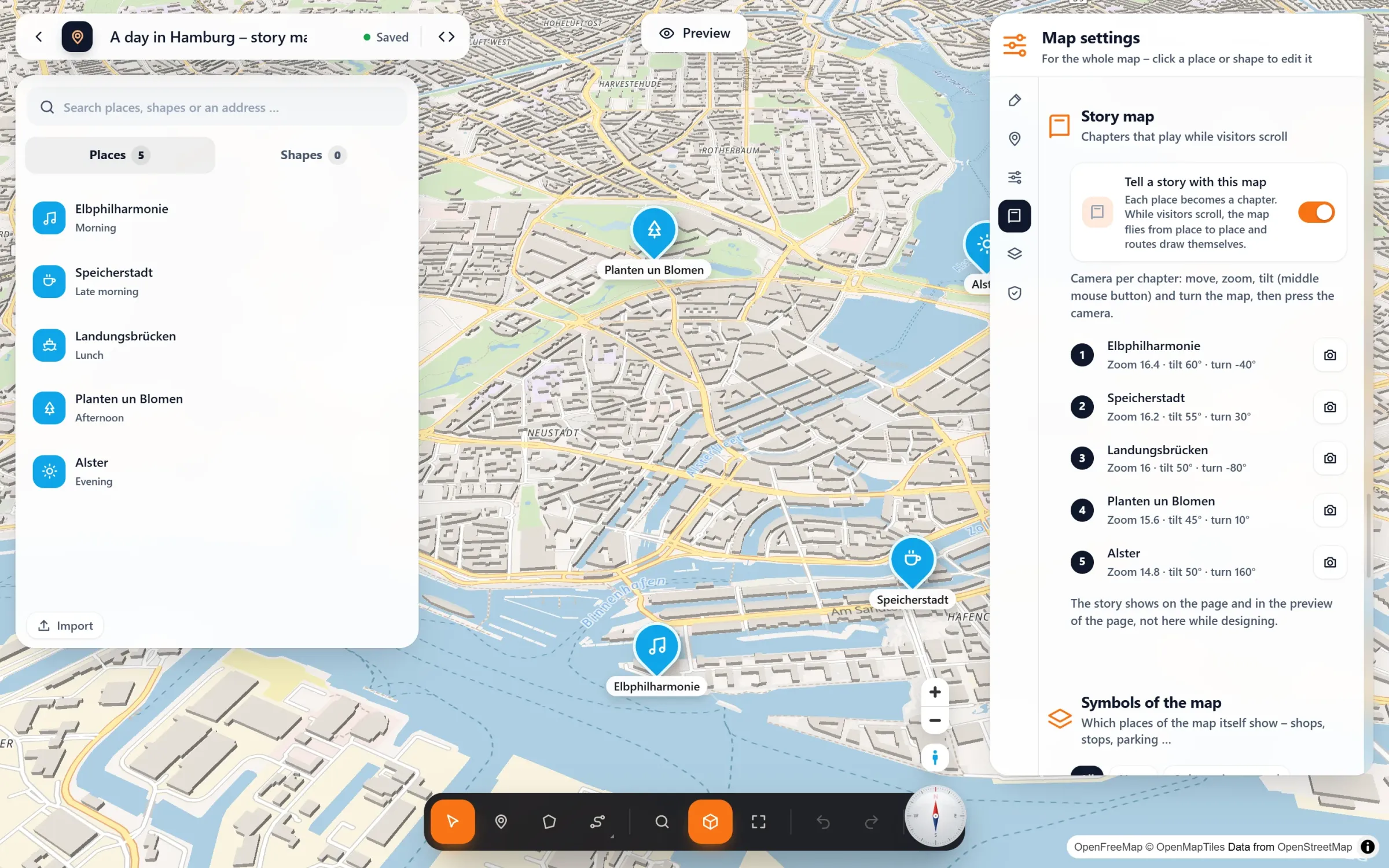
- Add your places. They become the chapters, in the order of your list. Give each a title, a text and a photo for its card. More about places.
- Switch on the story. Map settings → Story map → “Tell a story with this map”. Want a route to draw itself? Draw it through your places.
- Set the camera for each chapter. Move, zoom, tilt and turn the map, then press the camera next to the chapter. Without one, the chapter gets an automatic view. Check it all in the preview of the page, then put the map on your page.
Questions people ask
Why don’t I see the story while I design?
In the studio the map stays editable, so you can keep moving places and setting cameras. The story plays on the page and in the preview of the page. To see it, press “Preview” at the top of the studio.
How is a story map different from a presentation?
A story map is built from your places: each one is a chapter. A presentation follows one route and halts at stops along it, with a button or while scrolling. A map plays only one of them while scrolling: with the story switched on, the story takes the scrolling.
Does it work with 3D buildings?
Yes. With 3D buildings switched on, the automatic camera tilts further, so the city rises around each chapter. Your own camera per chapter always wins.
Is it part of the free plugin?
No, story maps come with Map Studio Pro. The places, routes and everything else on the map stay free.
Who tells stories with a map
- “A day in …” city guides
- Travel blogs and trip reports
- Hotels showing their neighbourhood
- Museums and history walks
- Local journalism
- Company histories, place by place
Part of Map Studio Pro
Pro adds it to the plugin you already have. Everything in the free version stays free and complete.