
Ride along & presentations
One button, and the camera flies along your route like a drone, slows down at each place on the way and comes down close at the finish. Add stops, and the ride becomes a presentation with cards.
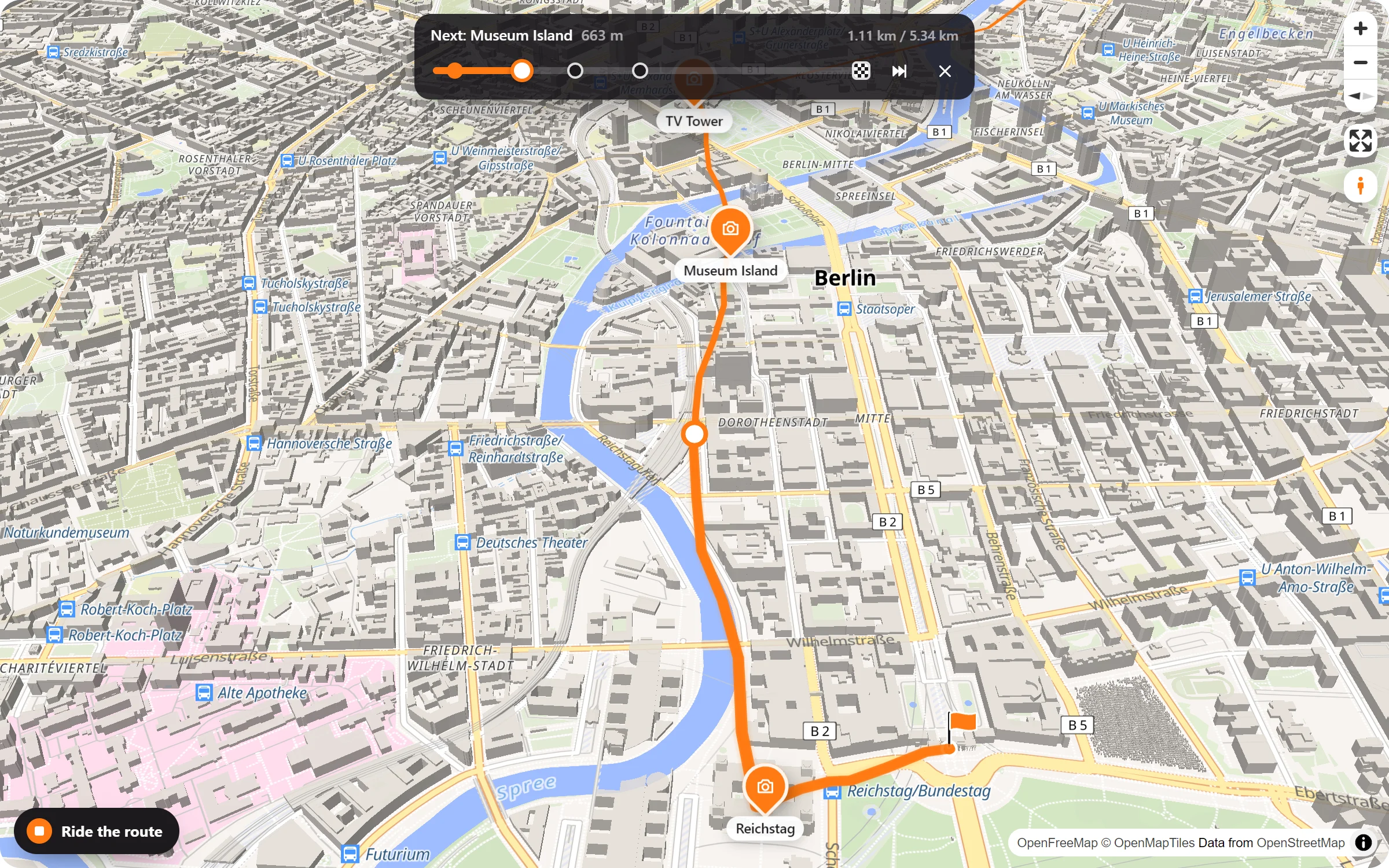
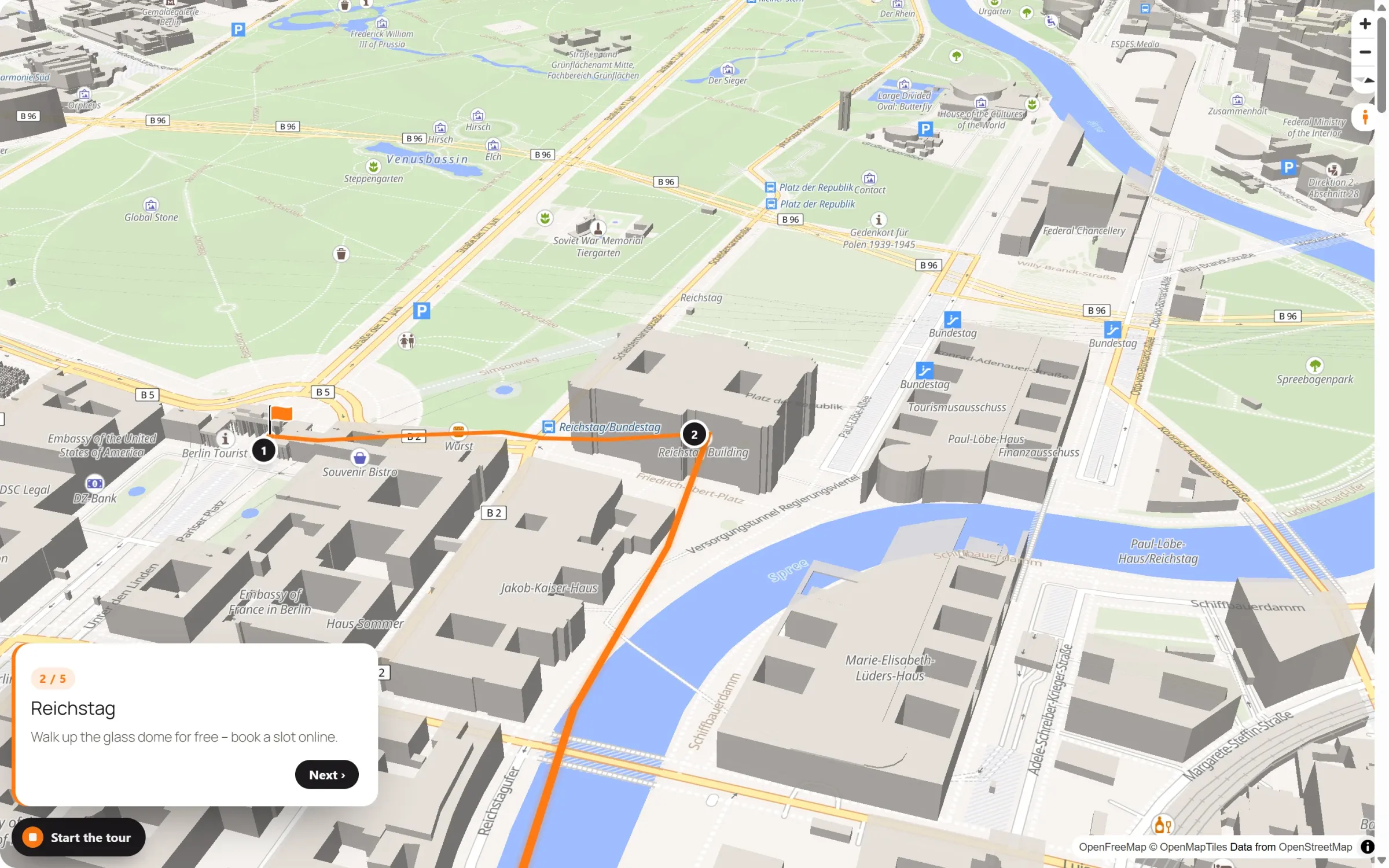
Chapter 9 of the tour on the Map Studio page rides a walk through Berlin in 3D. That is what a ride feels like.
The way, as if they were there
Ride the route
The camera flies to the start, tilts and follows the route while it draws itself, and turns softly through the bends.
Halts on the way
Your places along the route become stops: the camera slows down, shows the place’s popup and rides on. At the finish it comes down close.
Stops with cards
In a presentation each stop has a title, text, a photo and its own view. If there is more to tell, it gets more cards in a row.
Always in control
A bar shows the next stop and the finish. Visitors skip to the end, stop with a button or Esc – or simply move the map.
From a route to a presentation
- Draw a route. Along real roads, by hand or from a GPX file: any route can be ridden.
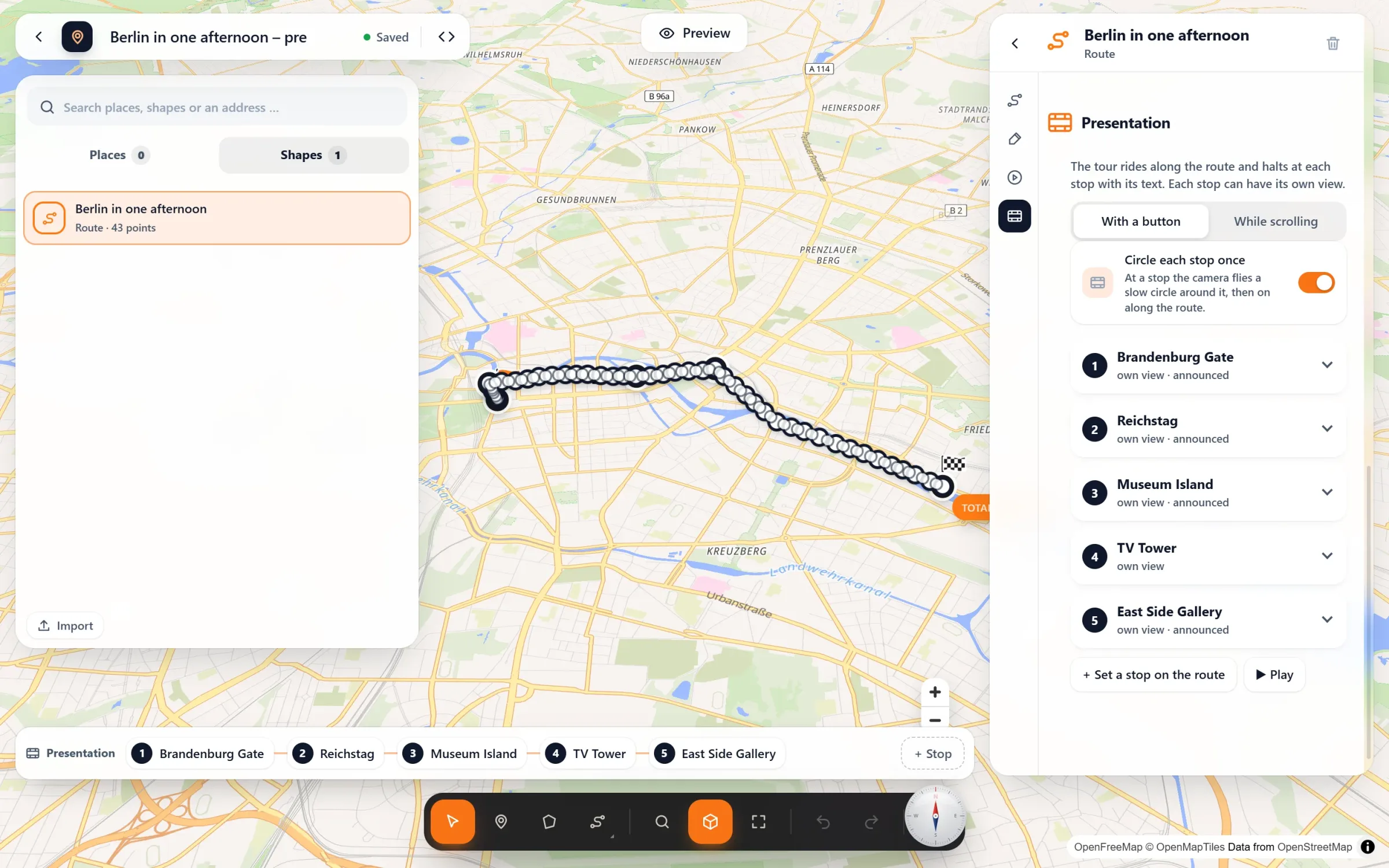
- Switch on the ride. Click the route → Ride along → “Ride the route” button. Set the speed from slow to fast and press “Try it” to watch it right in the studio.
- Add stops, if you like. Presentation → “Set a stop on the route”, then click the route. Give the stop a title, text and photo, frame the map and press “Use this view”. Choose “With a button” or “While scrolling”, and whether the camera circles each stop once.
Questions people ask
What can a stop show?
A title, a text and a photo, and more cards one after the other while the camera stays. An announcement can come up on the way there (“Our next stop: Museum Island”), and notes on the way show while the camera passes without halting. Each card stays until it has been read, or until the visitor presses “Next”.
Button or scrolling?
With a button, visitors press “Start the tour” on the map and lean back. While scrolling, the cards scroll next to the map and the camera follows the reader. It works like a story map, only along one route.
Can the ride end in the street?
Yes. If a place right at the finish has Street View, its panorama opens when the ride arrives.
Is it free?
Riding along and presentations come with Map Studio Pro. Drawing and planning routes stays free.
Who takes visitors along
- City walks and guided tours
- Boat trips and river cruises
- Hiking and cycling routes
- Road trips and travel blogs
- Races and charity runs
- The way from the station to your venue
Part of Map Studio Pro
Pro adds it to the plugin you already have. Everything in the free version stays free and complete.